Overview
CREATE A ZOI (CAZ) is one of the core features of the inZOI ModKit.
It allows you to browse various character assets, select the ones you want, and either create a new mod or add them to an existing mod.
Basic Usage
- Use the filters at the top (e.g.,
Female,Adult) to select the type of asset you want. - Click the orange downward arrow under a thumbnail to reveal the [Create New Mod] or [Add to Existing Mod] buttons, and proceed to the next step.
Screen Layout
The CAZ screen is divided into three main sections: search & filter, asset grid, and mod creation/addition features.
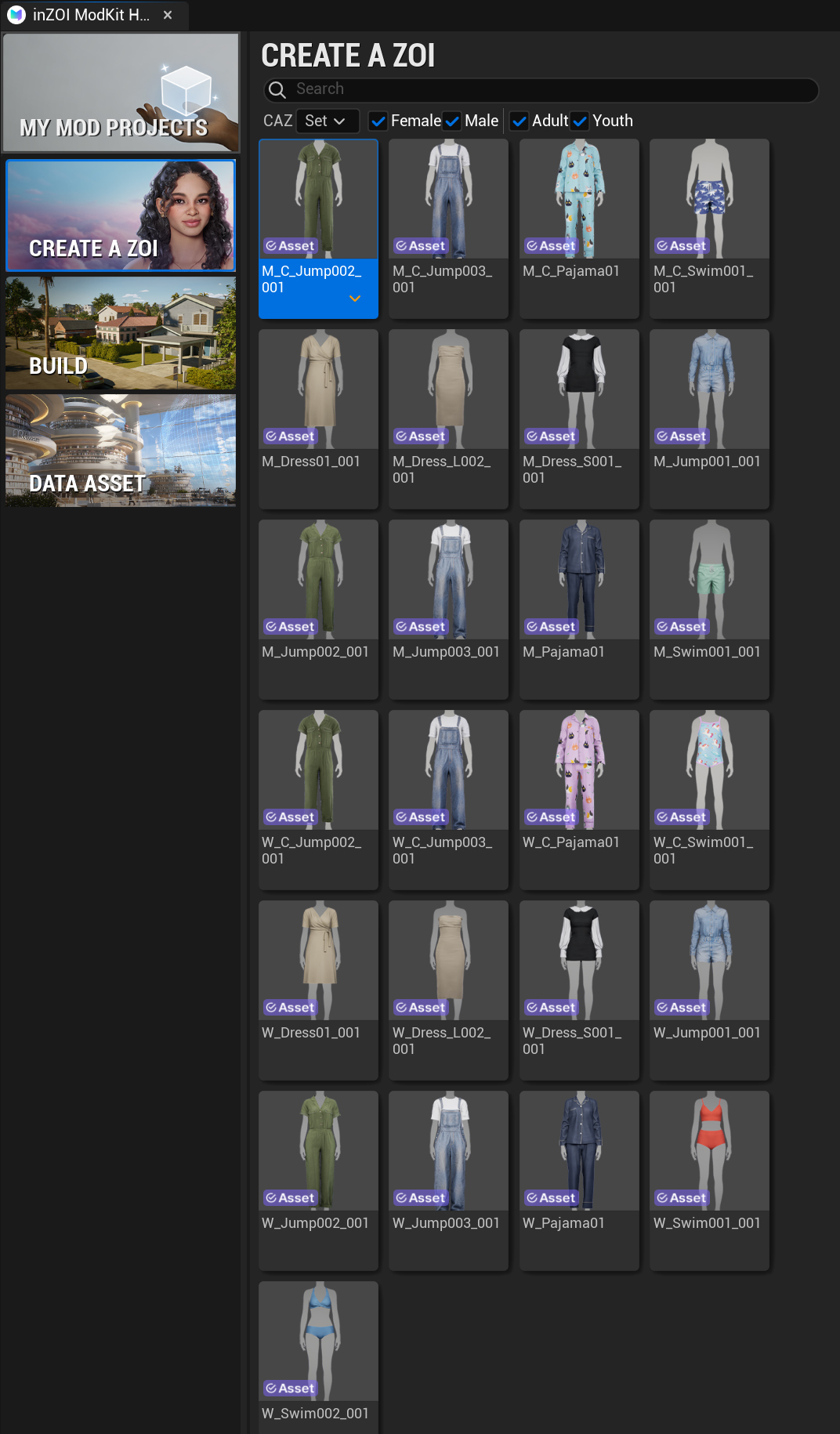
Search & Filter
- Search: Search directly by typing the name of the asset.
- CAZ: A filter that lets you group assets by specific sets.
- Filter: Use checkboxes such as
Female,Male,Adult,Youthto filter and view only the desired categories of assets.
참고
- Create new project는 완전히 새로운 .pak 파일을 생성할 때 사용합니다.
- Add to existing project는 이미 제작 중인 모드에 새로운 에셋을 덧붙이고 싶을 때 유용합니다.