Overview
This panel is a step-by-step guide interface designed for users who are new to InZOI Modkit.
You can run tutorials directly within the tool to learn how to use CAZ (Character Editor) and BUILD (Construction Mode) features.
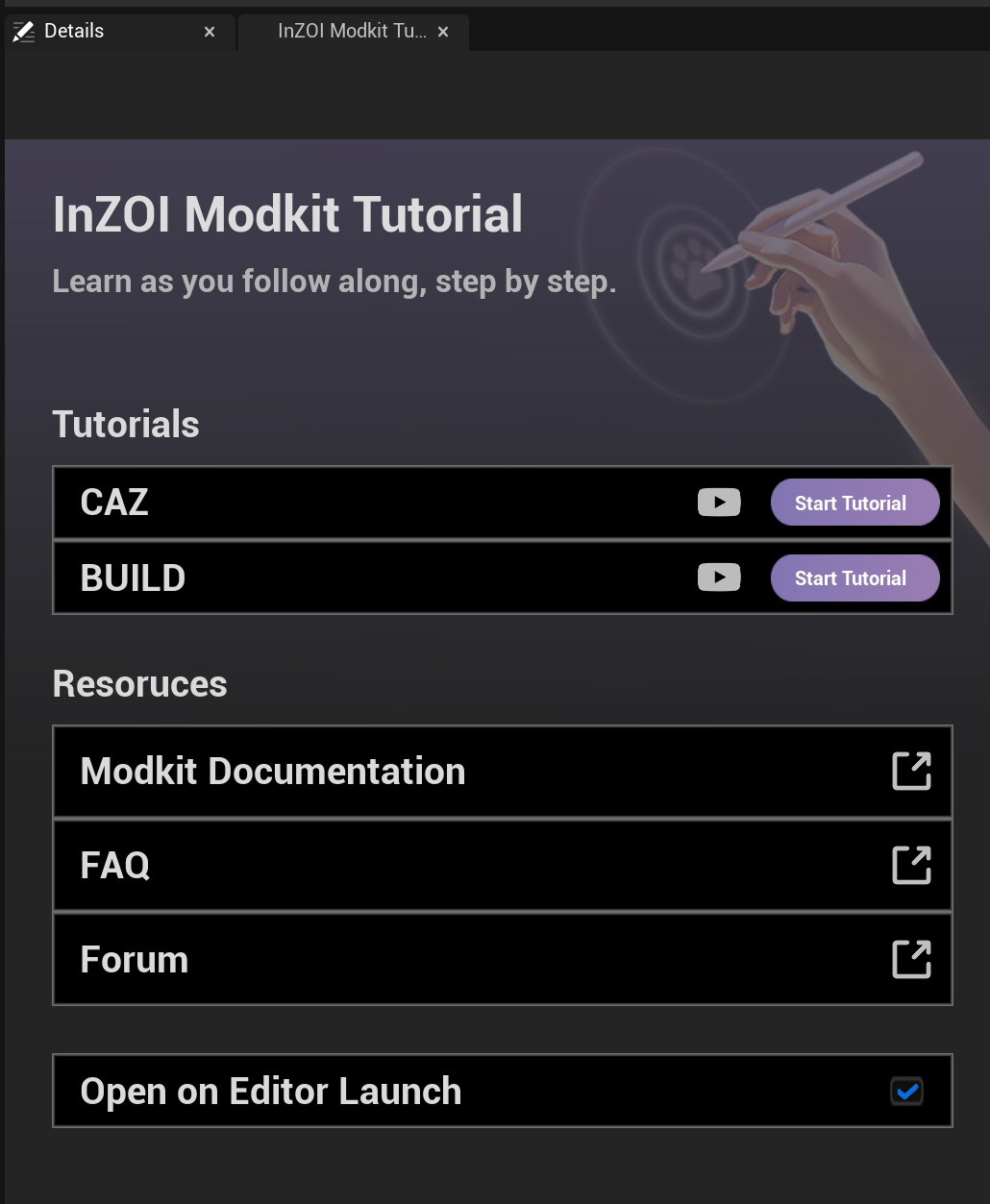
CAZ - A customization-focused tutorial for creating characters, outfits, and accessories.
BUILD - A tutorial for learning how to create and design architectural or environmental objects.
Start Tutorial - When clicked, a step-by-step interactive guide appears, allowing users to follow along with on-screen prompts.
Resources A collection of official reference materials available alongside the tutorials.
| Item | Description |
|---|---|
| Modkit Documentation | Official documentation page |
| FAQ | Frequently asked questions |
| Forum | User community |
Click the 🔗 icon on the right side of each button to open the corresponding webpage.
Open on Editor Launch - ✅ Checked: The tutorial panel will automatically open each time the editor launches.
Note
This panel serves as the central tutorial hub of InZOI Modkit, providing a beginner-friendly guide through the CAZ and BUILD tutorials.
Users can efficiently learn how to use Modkit through interactive tutorials and official reference resources.