Overview
This panel is an interface for Object Sound modding.
Users can assign sounds for different interaction states of a specific object (e.g., a piano).
This screen is designed to allow users to step-by-step configure how sound resources are linked to object behaviors.
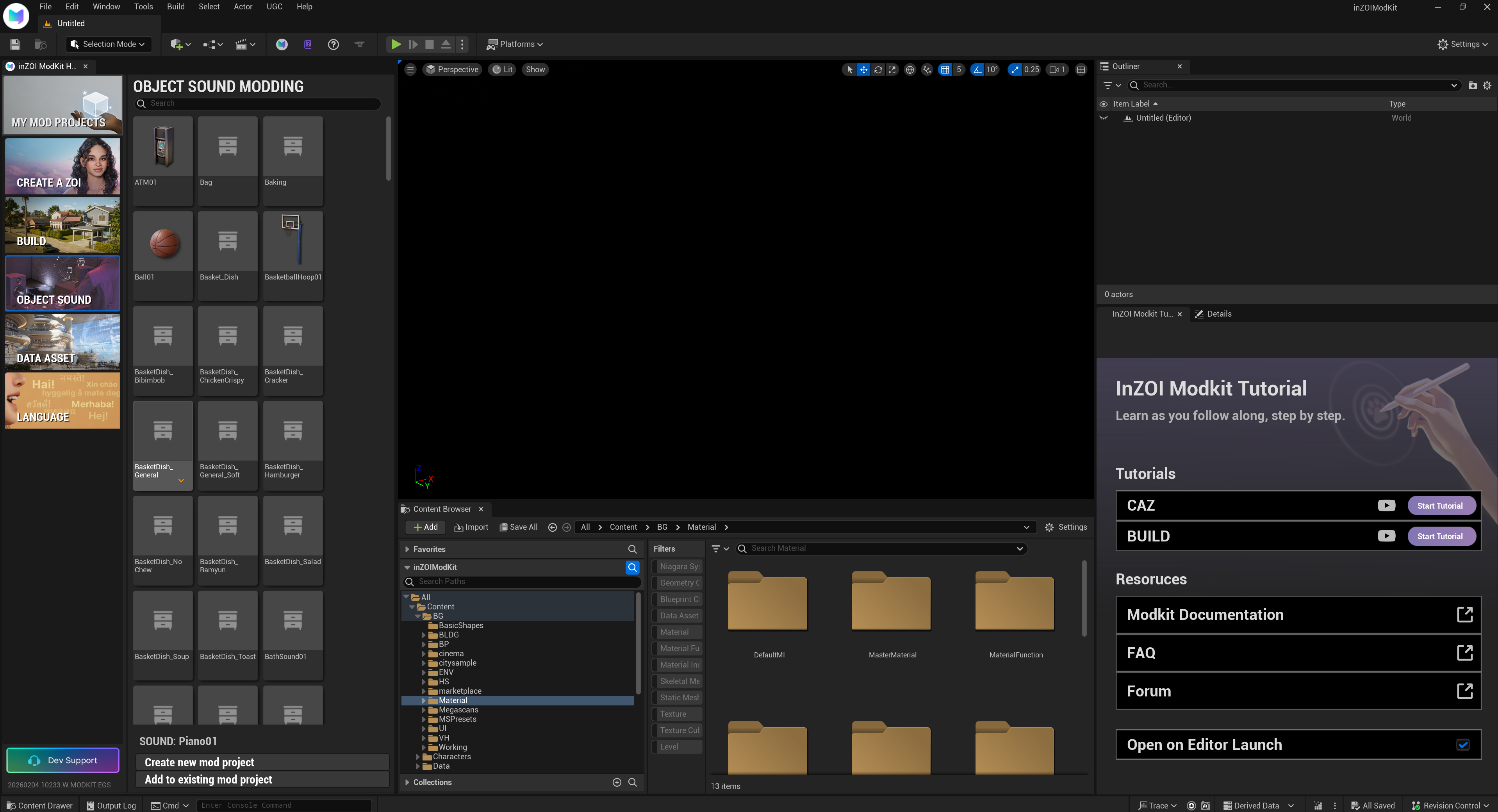
OBJECT SOUND - A sound modding category defined per object. - Allows configuration of sounds for interactive objects such as furniture, instruments, and daily-life objects.
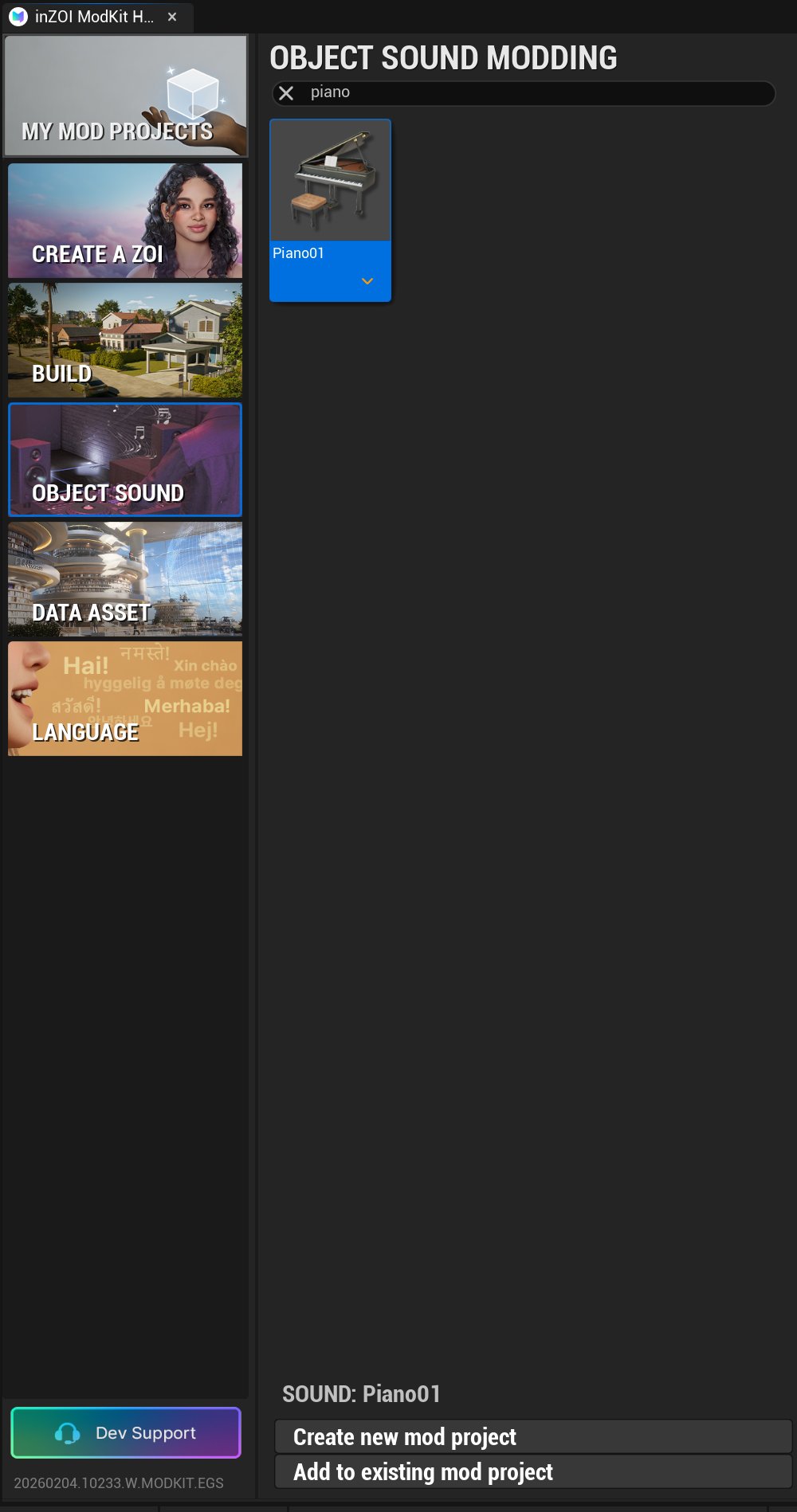
Search
- Quickly find a specific sound modding target (e.g., Piano01) by entering the object name.
Piano (e.g., Piano01)
For the selected object, you can configure a Sound Notify Map.
Each entry represents a sound slot mapped to a specific interaction or state.
Sound Asset Assignment
By clicking each sound slot, you can select a MetaSound Source asset to be used.
MetaSounds Documentation (Unreal Engine 5.4)
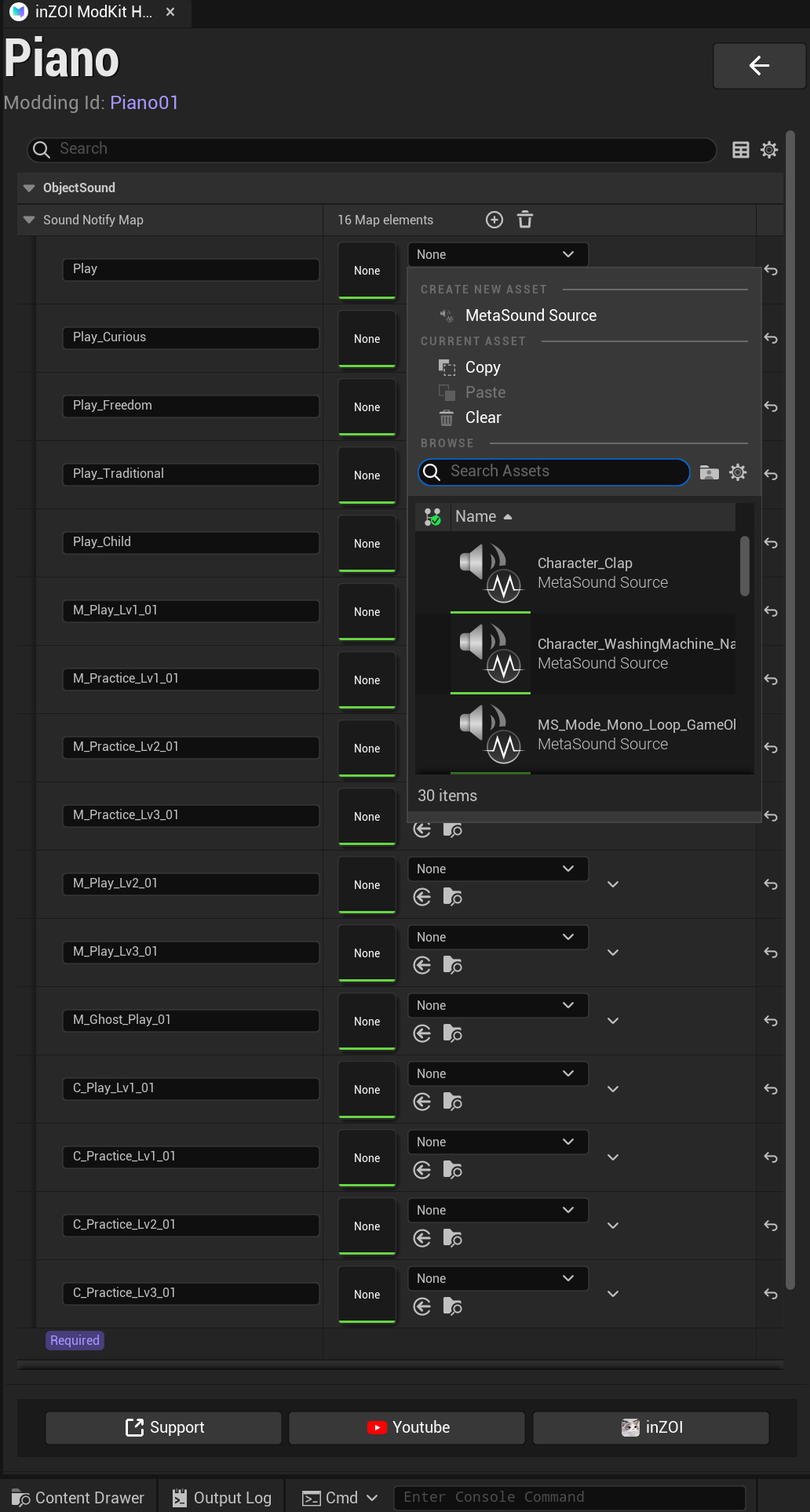
Sound Notify Map
- A list of sound events defined per object action.
- Examples include:
- Play
- Play_Curious
- Play_Freedom
- Play_Traditional
- Play_Child
- Practice stages (Practice Lv1–3)
- Performance stages (Play Lv1–3), etc.
Each slot can be assigned a MetaSound Source.
Note
Object sound modding is closely integrated with animations, interaction states, and progression levels.
By assigning appropriate MetaSound Sources to each sound slot, you can achieve natural, progressive, and context-aware sound playback in-game based on the object’s behavior.