Interaction
This section defines how character interaction animations (Animation Montages)
are configured and executed in-game.
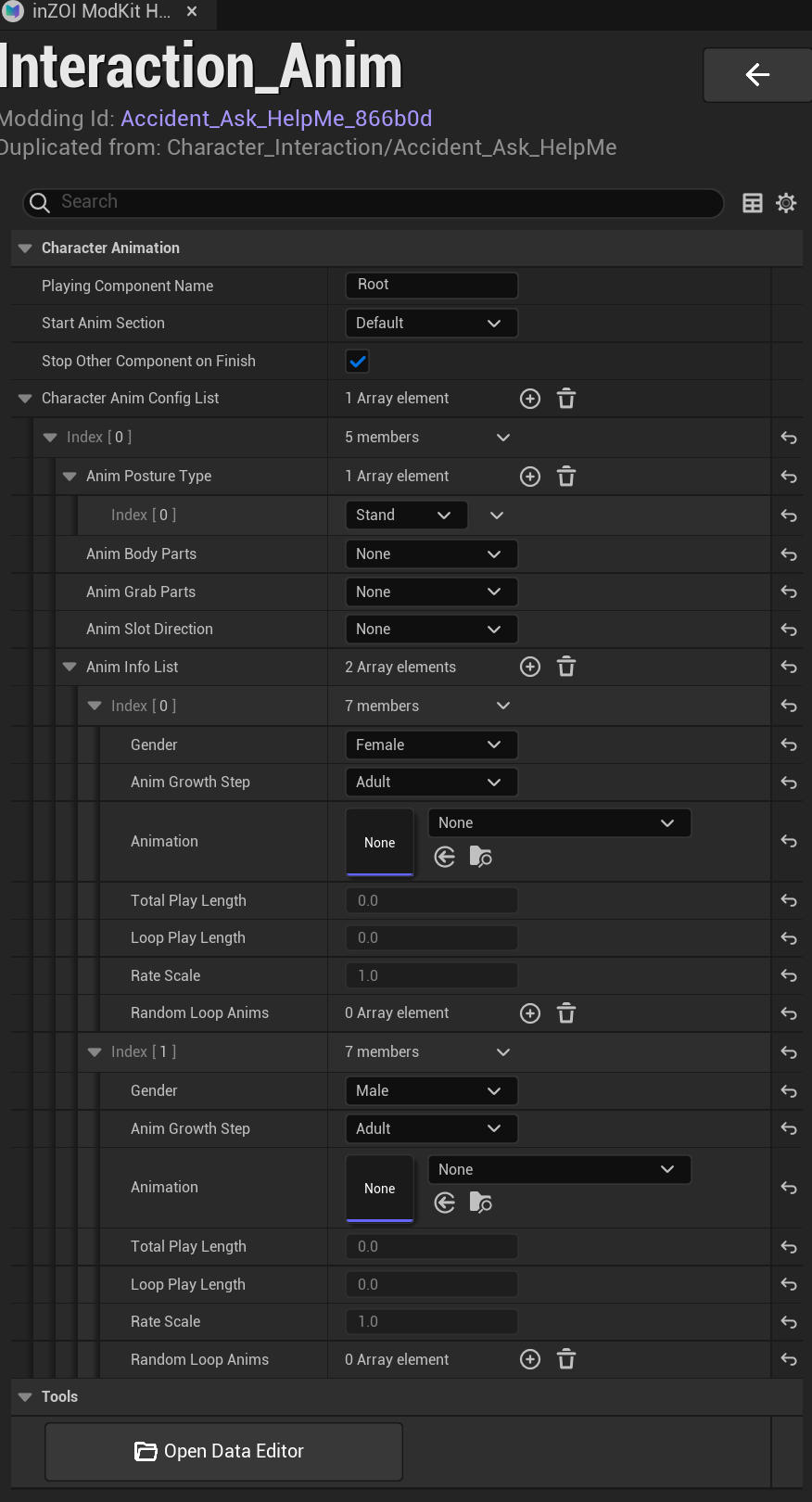
Character Animation
- Playing Component Name
- Specifies the component that will play the animation
-
Default:
Root -
Start Anim Section
- Defines the starting section of the animation
-
Default:
Default -
Stop Other Component on Finish
- Stops other animation components when this animation finishes
Character Anim Config List
This is the core configuration area that defines animation behavior.
Each element represents an animation setup based on specific conditions
(e.g., posture, character state).
Anim Posture Type
- Defines the posture in which the animation will be executed
- Example:
-
Stand -
Anim Body Parts / Grab Parts / Slot Direction
- Optional interaction condition settings
- Set to
Noneif not used
Anim Info List
Defines which animations to use based on character conditions such as
gender and age.
Parameter Description
Each element includes the following settings:
- Gender
-
Male/Female -
Anim Growth Step
-
Growth stage such as
Adult,Child -
Animation
-
The actual animation asset to be played
-
Total Play Length
-
Total duration of the animation
-
Loop Play Length
-
Loop duration (used for looping animations)
-
Rate Scale
- Playback speed multiplier
-
Default:
1.0 -
Random Loop Anims
- Optional random animation variations
Multiple Configurations
- Multiple conditions (e.g., Male / Female) can be configured simultaneously
- The appropriate animation is automatically selected based on character conditions
Tools
- Open Data Editor
- Opens the data editor for advanced configuration
Tip
Make sure to configure all required conditions (e.g., Male / Female).
Missing settings may cause the animation to not play in-game.