Final Export
5.1 Scene Reset After Script Execution
After running the previous script, the MetaHuman rig will be rebuilt in a new scene based on the modified joint positions.
The geometry_grp can be removed since it is no longer used.
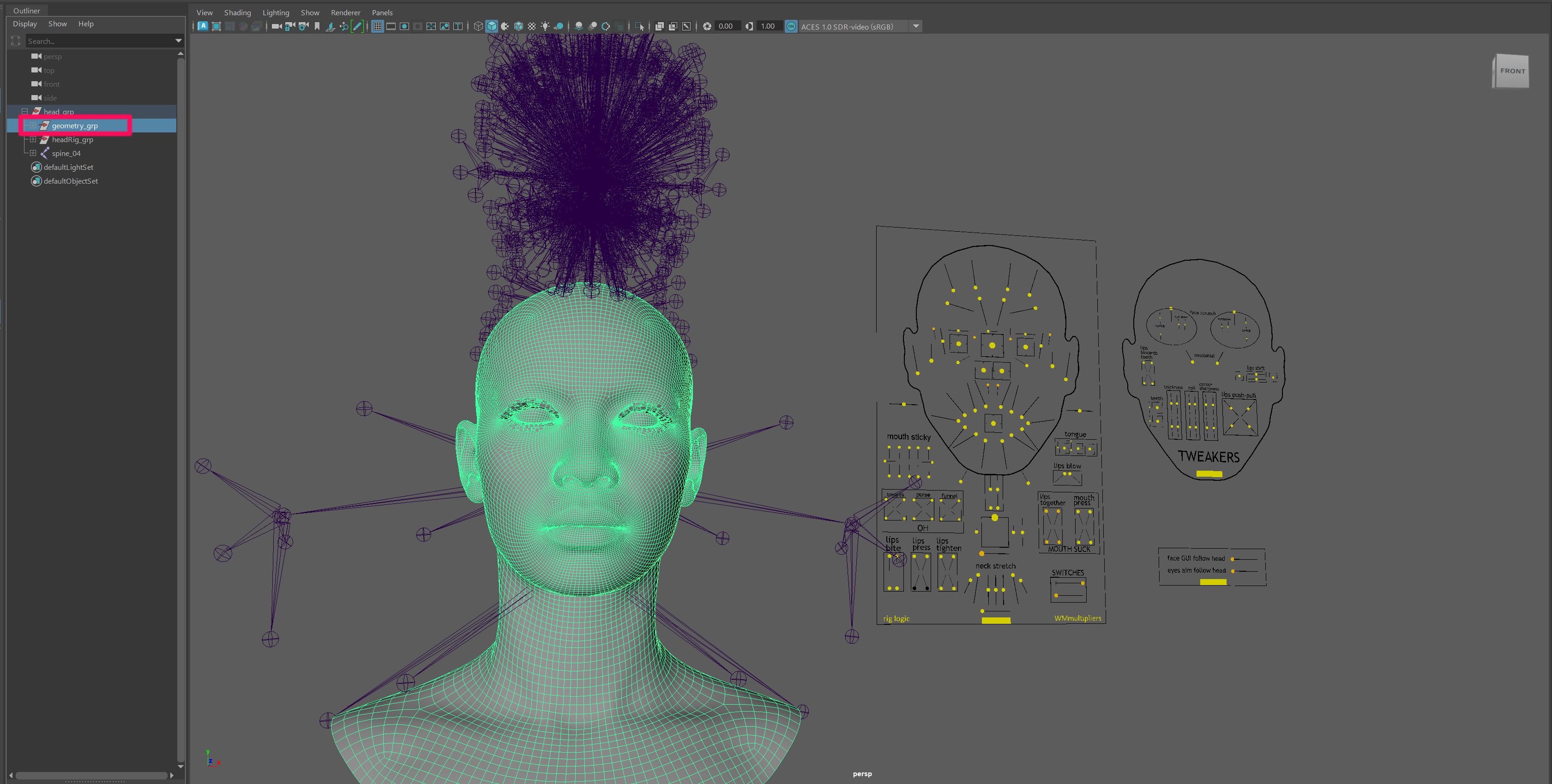
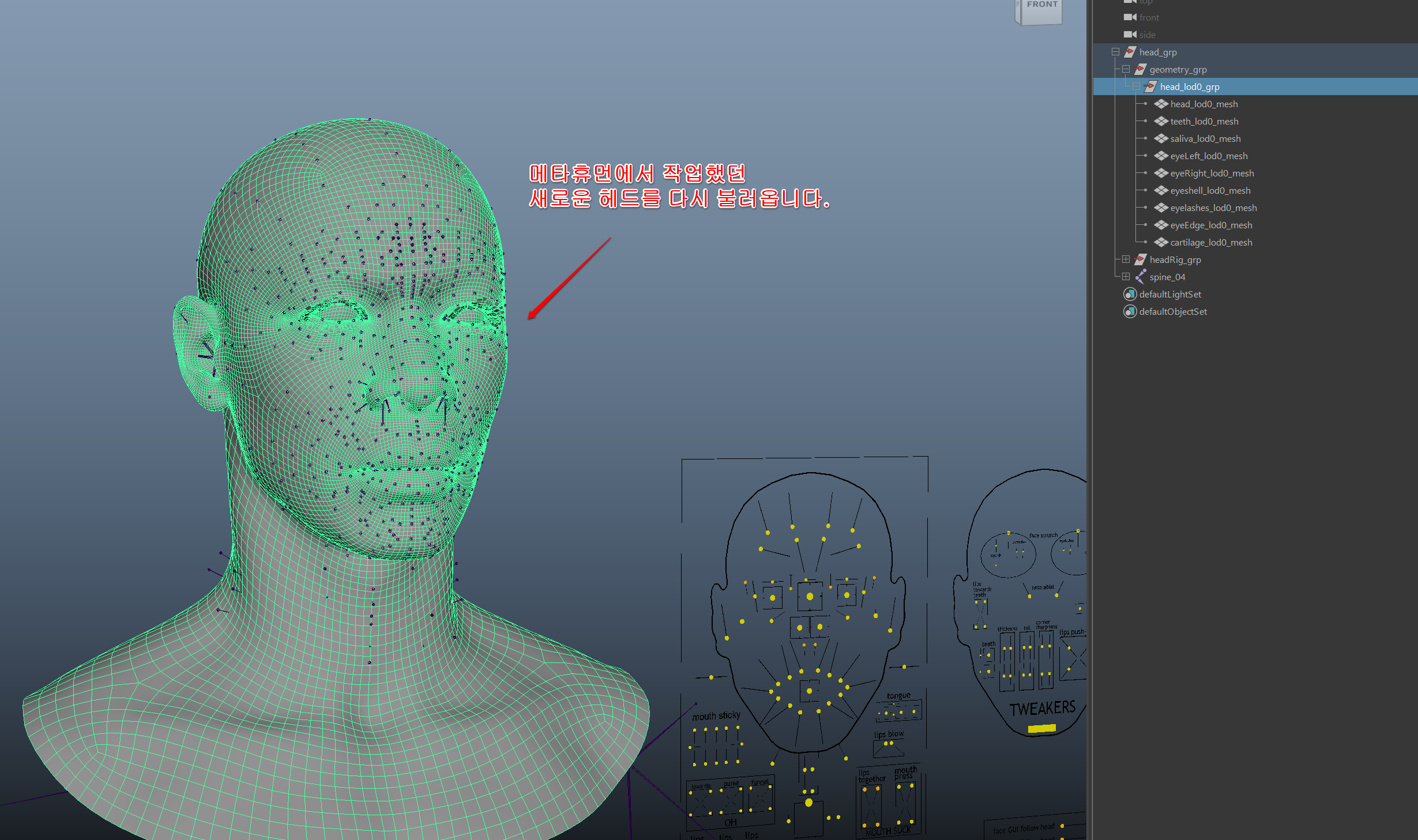
5.2 Import the Edited Head Mesh
Import the FBX file exported in the previous step.
Example file:
MOD.fbx
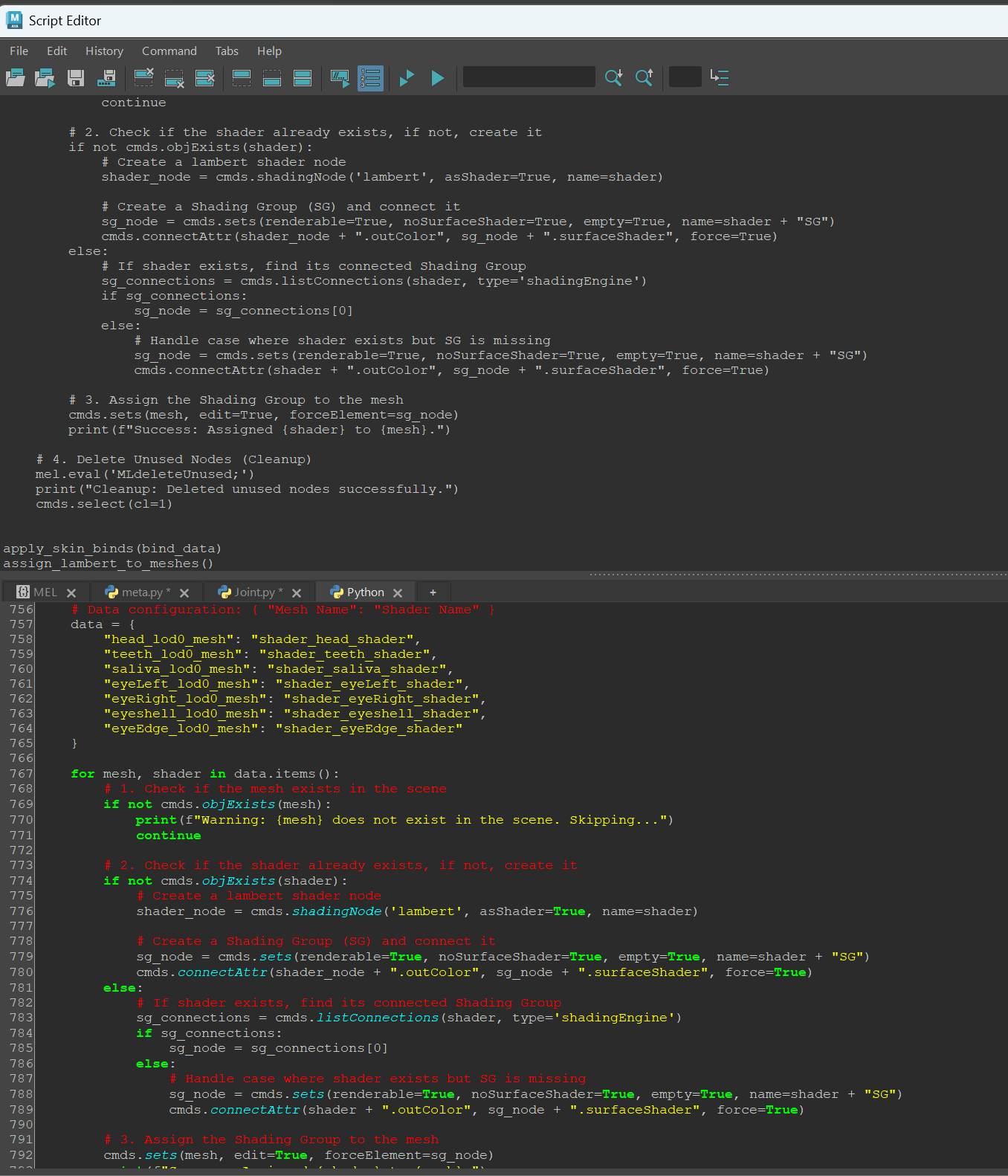
5.3 Run the Binding Script
Run the following script first.
This script automatically performs:
- Joint binding
- Material assignment
Copy the contents of:
bind_material_setup.py
and paste it into the Python Script Editor in Maya.
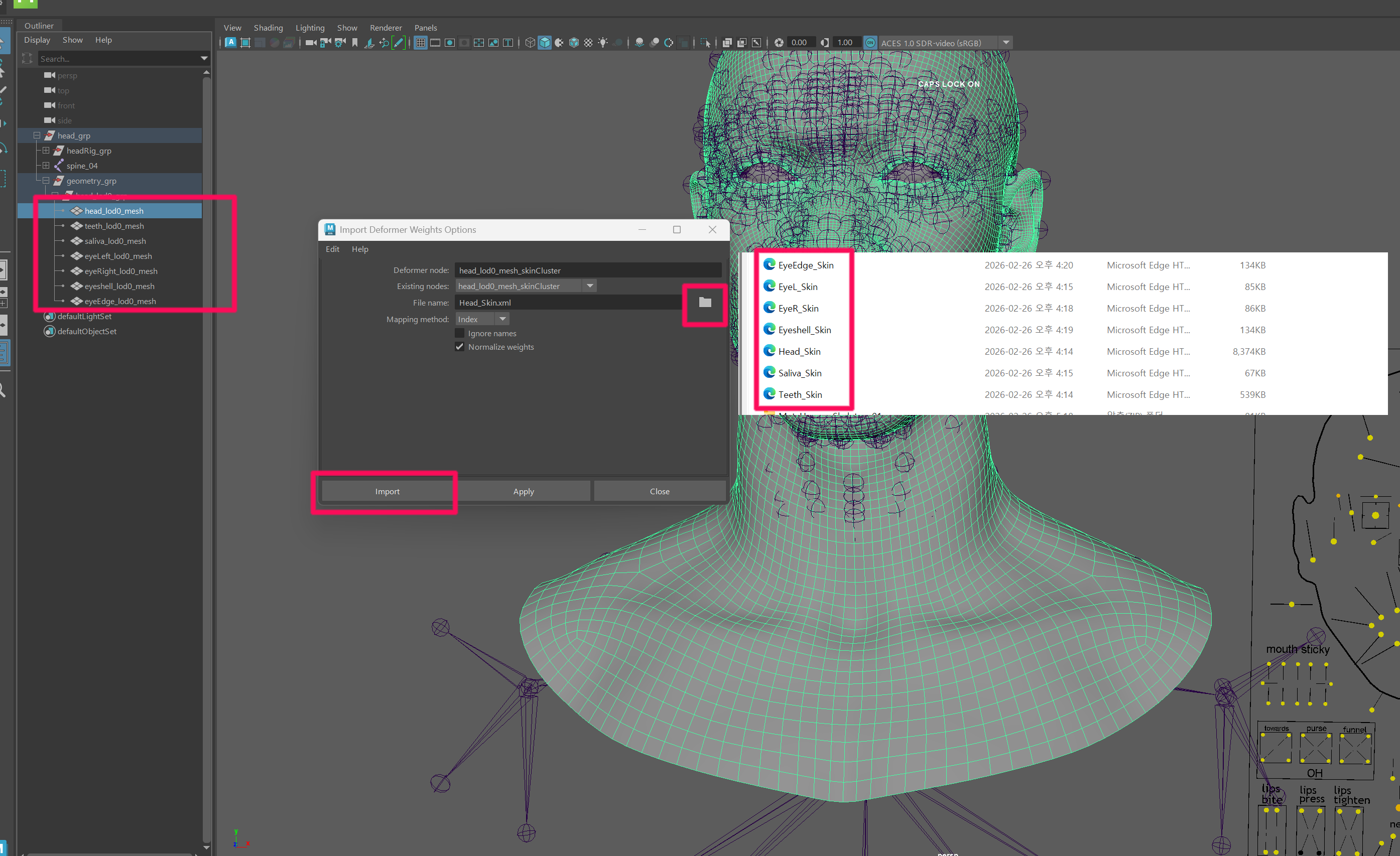
5.4 Import the Saved Skin Weights
Load the skin weight files saved in the previous step and apply them.
Apply the skin weights to all objects inside:
head_lod0_grp
5.5 Clean the Scene
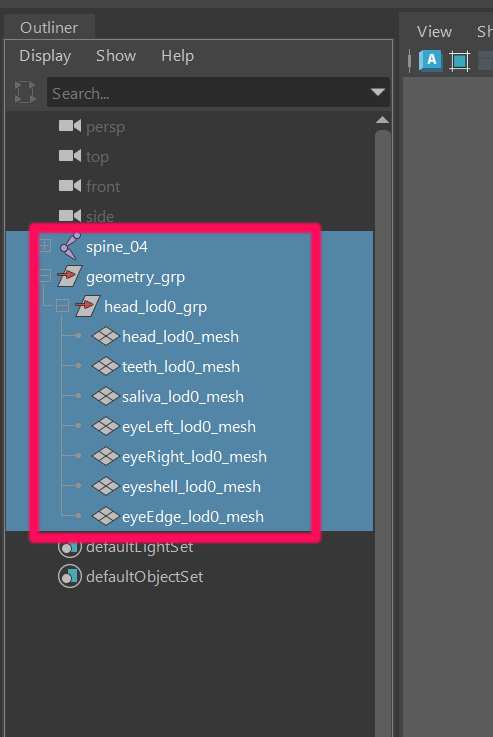
After rigging is complete, clean up the scene so that only the meshes and joints required for the engine remain.
5.6 Import the Final Skeleton
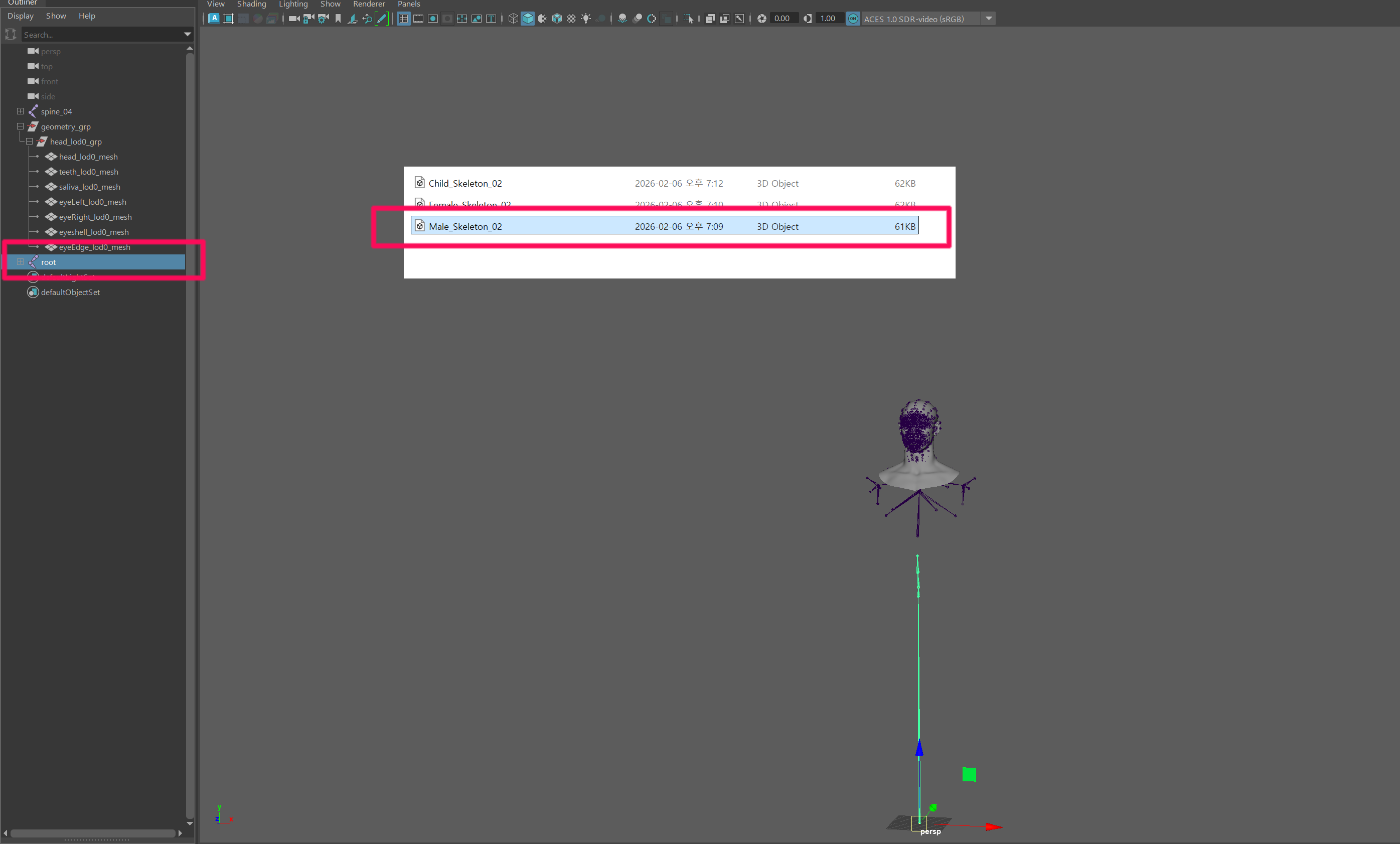
Import the appropriate skeleton file from:
MetaHuman_Skeleton_02.zip
Example:
Male_Skeleton_02.fbx
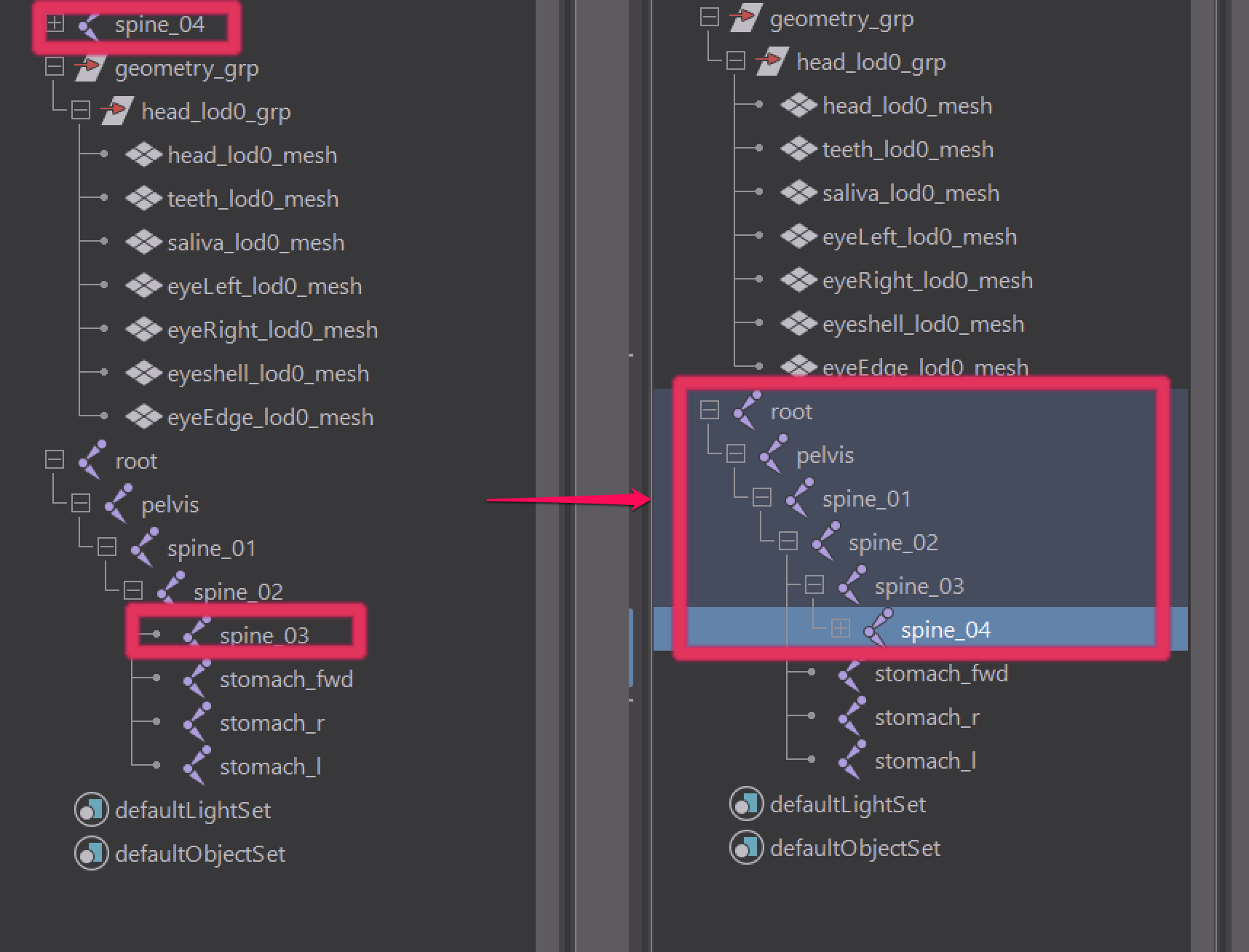
Place spine_04 as a child of spine_03 in the hierarchy.
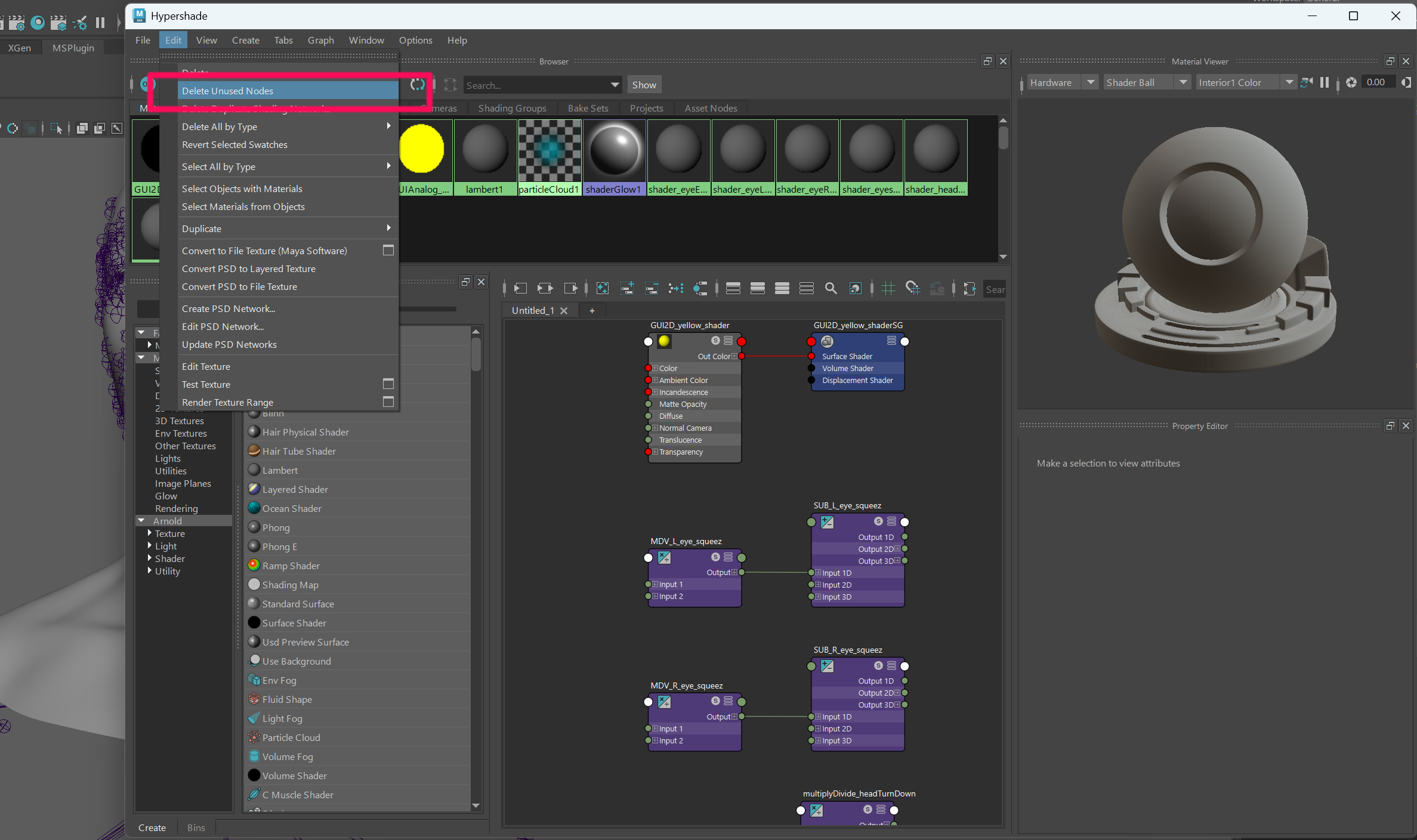
5.7 Clean Unused Nodes
Open Hypershade and remove unused nodes.
Hypershade → Edit → Delete Unused Nodes
5.8 Export Final FBX
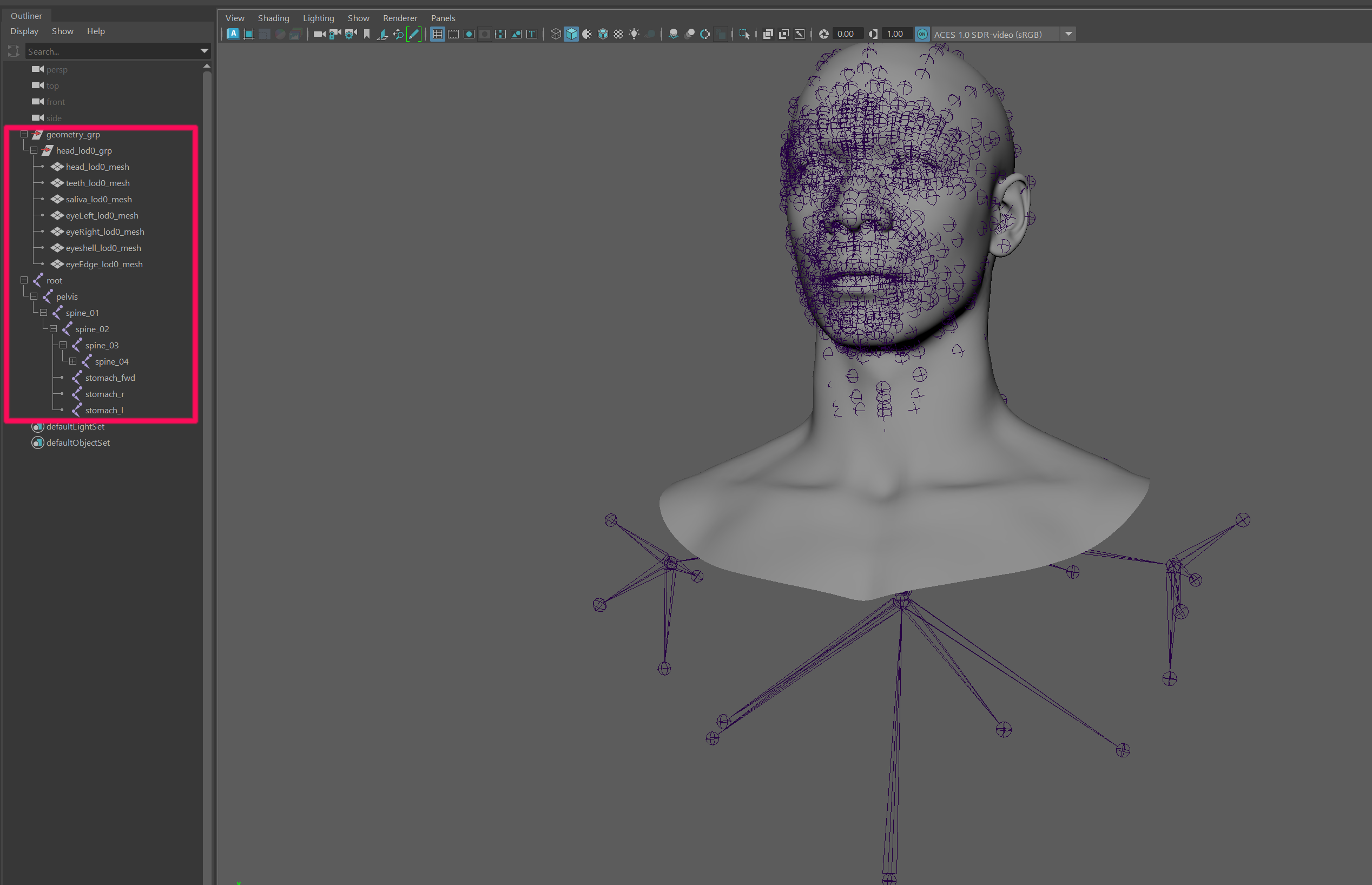
Select only:
- MOD (mesh group)
- root (skeleton joint)
Then export the final FBX.
File → Export Selection
Settings:
Preset : inZOI_Export_FBX
Example filename:
SKM_Head_MOD.fbx
The final FBX is now ready for use in inZOI ModKit.