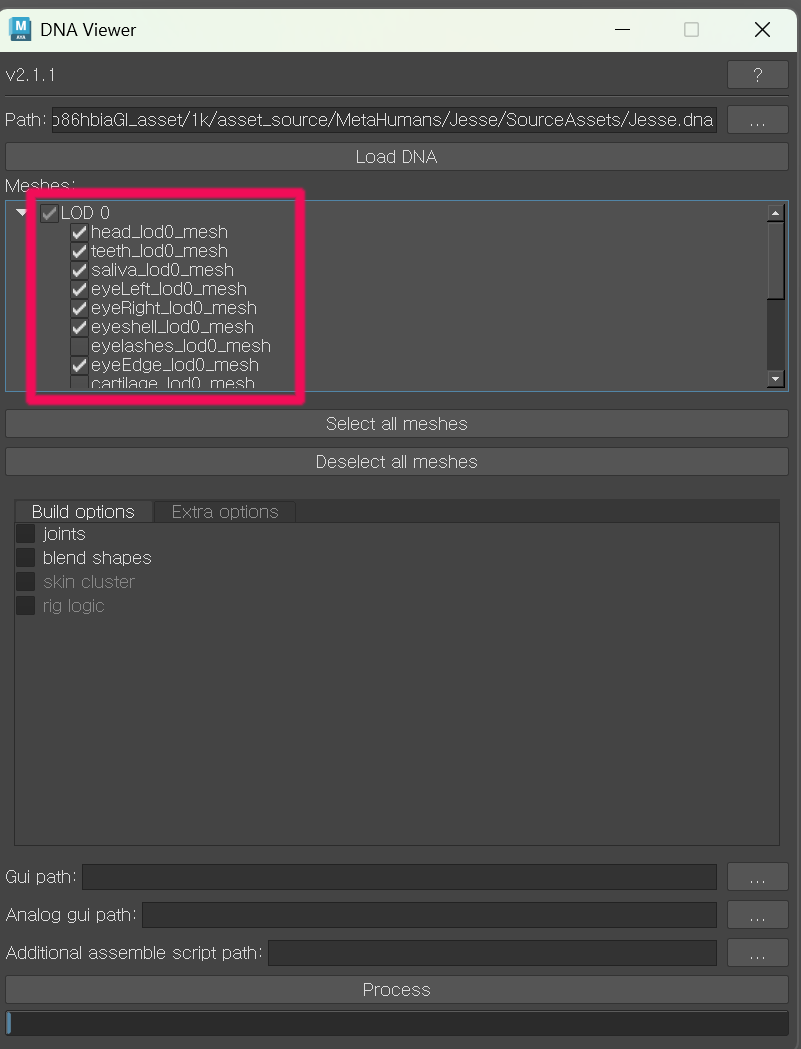
DNA Viewer
3.1 Download MetaHuman-DNA-Calibration
Download MetaHuman-DNA-Calibration provided by Epic.
GitHub - EpicGames/MetaHuman-DNA-Calibration
3.2 Extract the Archive
Extract the downloaded folder to your desired location.
(In this example, it is extracted to the C: drive.)
Then copy the following file:
C:\...\Downloads\MetaHuman-DNA-Calibration-main\MetaHuman-DNA-Calibration-main\lib\Maya2023\embeddedRL4.dll
and overwrite it here:
C:\Program Files\Autodesk\Maya2023\bin\plug-ins\embeddedRL4.dll
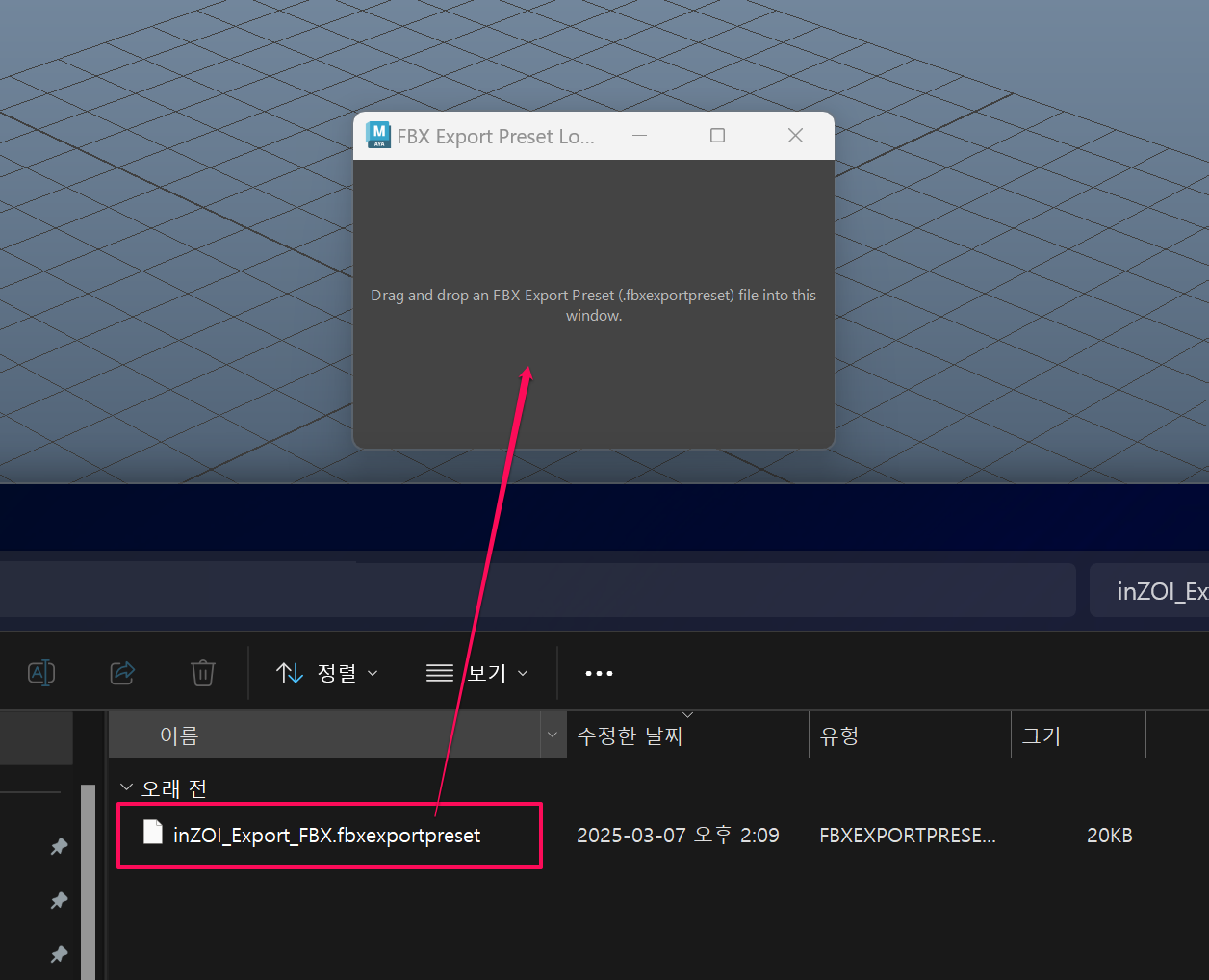
In a new Maya scene, execute the script fbx_preset_loader.py or drag it into the scene.
Then drag the file from inZOI_Export_FBX.zip into the window.
3.3 Open Script Editor in Maya
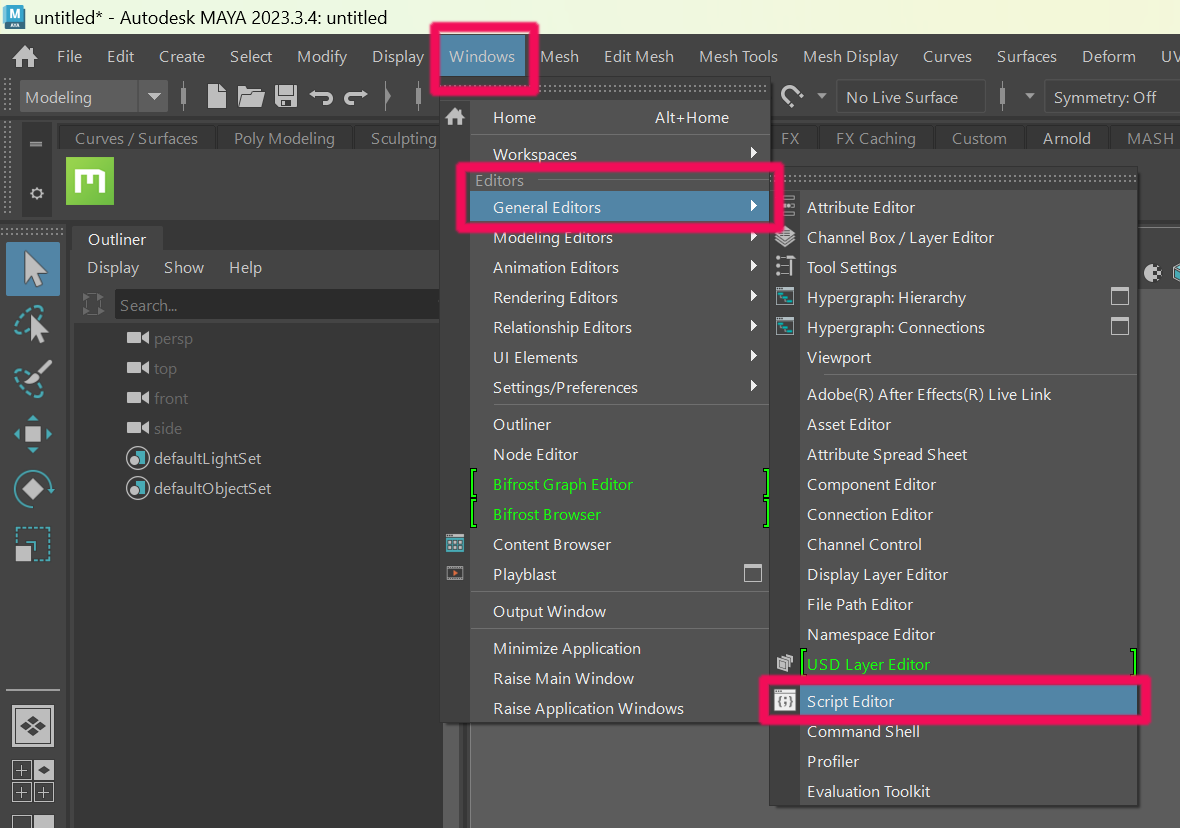
In Maya, go to:
Windows → General Editors → Script Editor
3.4 Run the DNA Viewer Script
In Maya Script Editor (Python), run the following code to launch DNA Viewer.
Update the following values before running:
ROOT_DIR→ set this to your actual MetaHuman-DNA-Calibration folder pathMAYA_VERSION→ set this to your Maya version (2023in this guide)
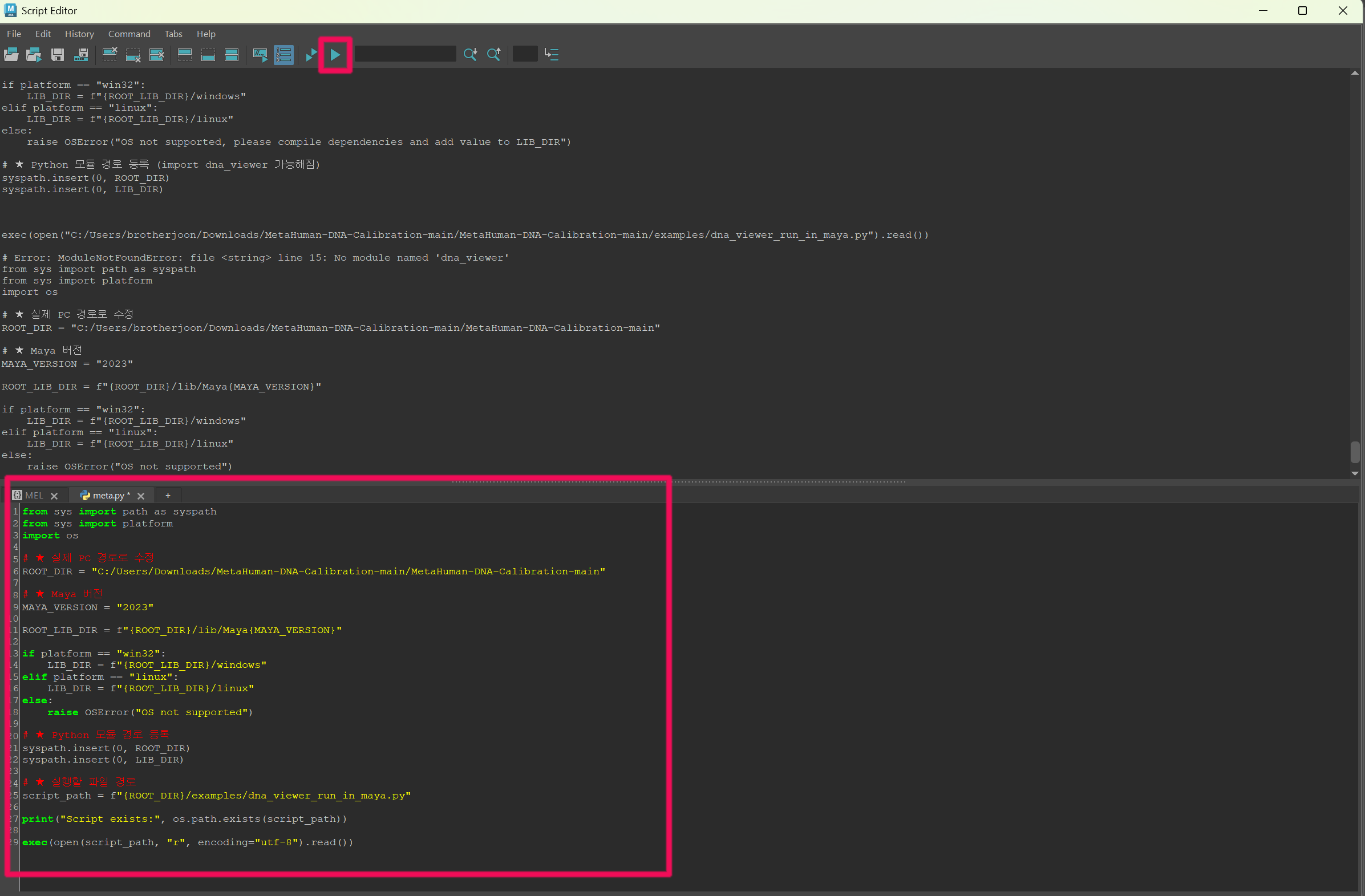
from sys import path as syspath
from sys import platform
import os

# ★ Change this to your actual PC path
ROOT_DIR = "C:/.../MetaHuman-DNA-Calibration-main/MetaHuman-DNA-Calibration-main"

# ★ Maya version
MAYA_VERSION = "2023"

ROOT_LIB_DIR = f"{ROOT_DIR}/lib/Maya{MAYA_VERSION}"

if platform == "win32":
    LIB_DIR = f"{ROOT_LIB_DIR}/windows"
elif platform == "linux":
    LIB_DIR = f"{ROOT_LIB_DIR}/linux"
else:
    raise OSError("OS not supported")

# ★ Register Python module paths
syspath.insert(0, ROOT_DIR)
syspath.insert(0, LIB_DIR)

# ★ Path to the script to run
script_path = f"{ROOT_DIR}/examples/dna_viewer_run_in_maya.py"

print("Script exists:", os.path.exists(script_path))

exec(open(script_path, "r", encoding="utf-8").read())
3.5 Return to Bridge and Open SourceAssets
Go back to Bridge, select the character you created, right-click it, and choose Go to Files.
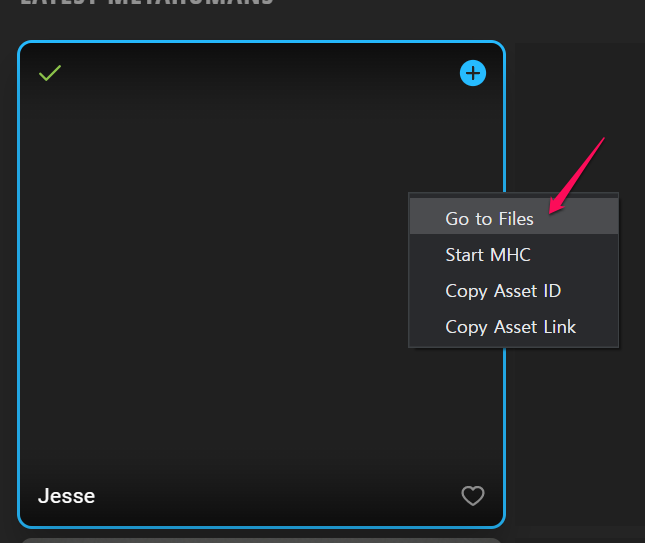
When the folder opens, go to the following path:
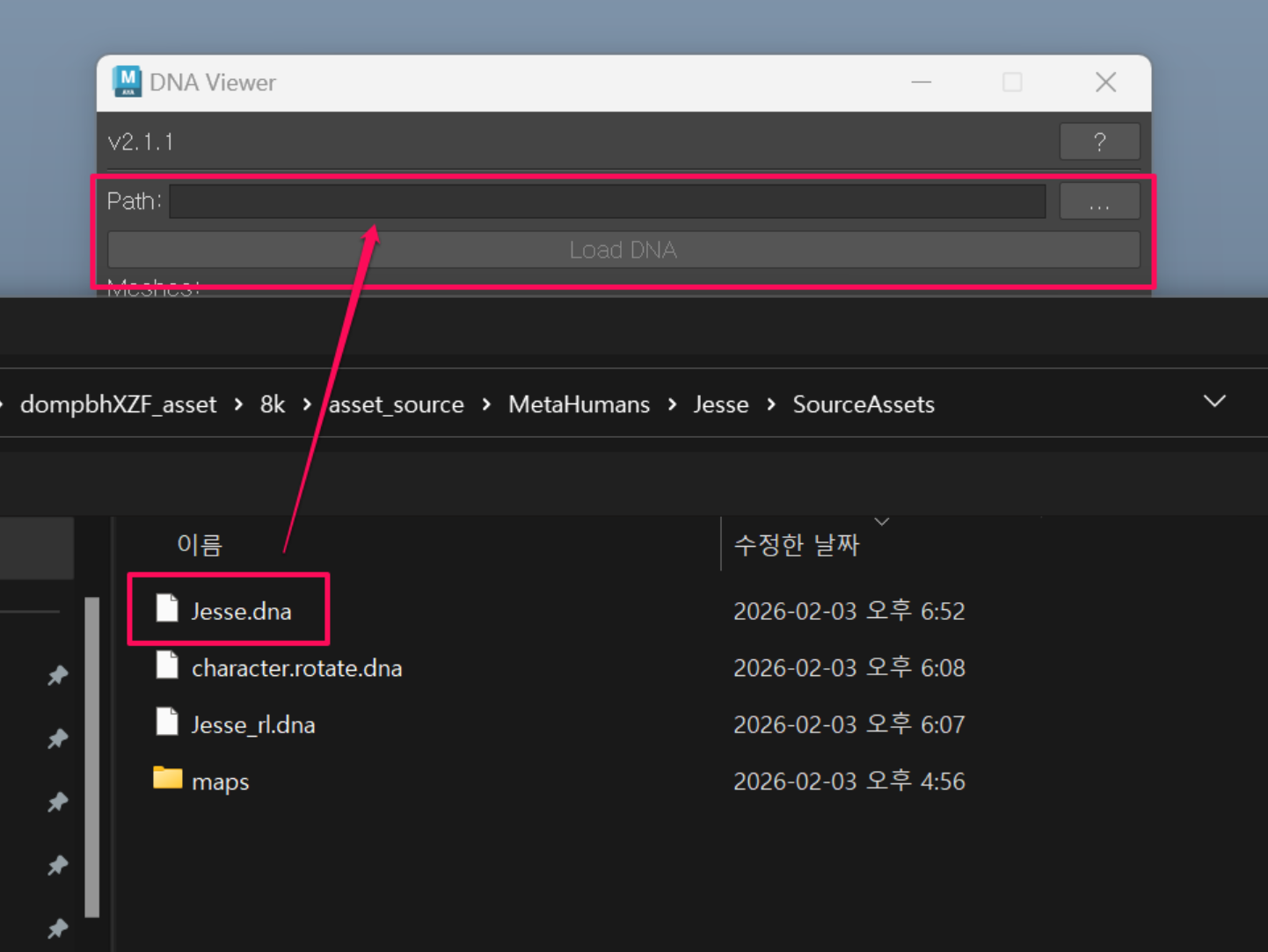
%USERPROFILE%\Documents\Megascans Library\Downloaded\DHI\[asset_name]\8k\asset_source\MetaHumans\[character_name]\SourceAssets
In DNA Viewer - Path, load the .dna file from the folder above, then click Load DNA.
In this example, use:
Jesse.dna
3.6 Process with LOD0 Only
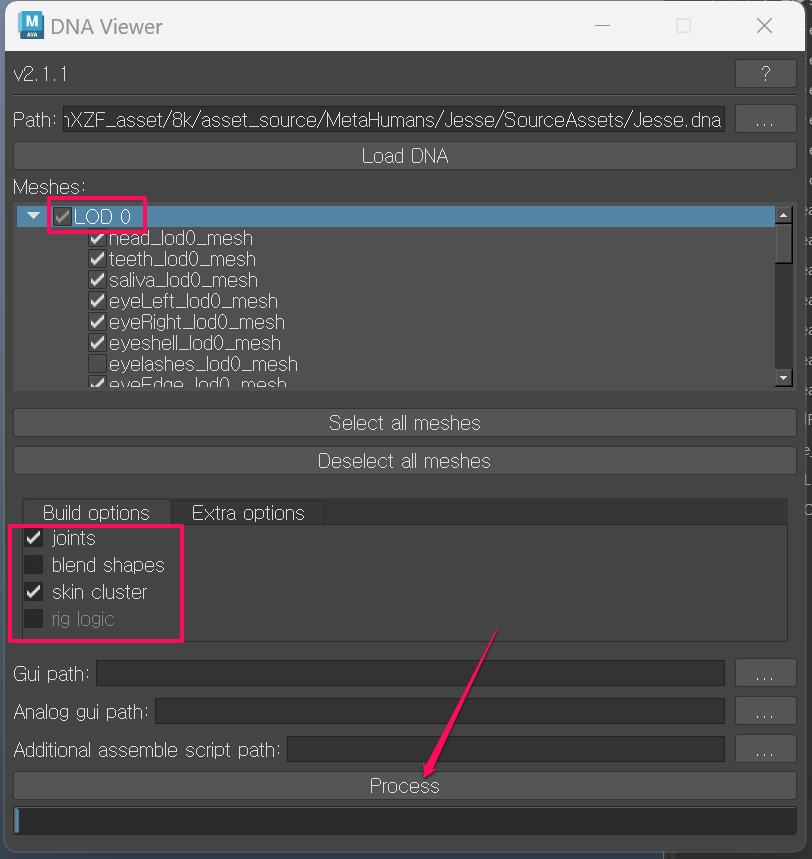
Only use LOD0.
Before processing:
- Uncheck
eyelashes_lod0_mesh - Uncheck
cartilage_lod0_mesh
Then, in the lower section:
- Check joints
- Check skin cluster
After that, click Process.