01. Overview
First, select the following item in the ModKit.
- Click Character → SkeinnedAccessory
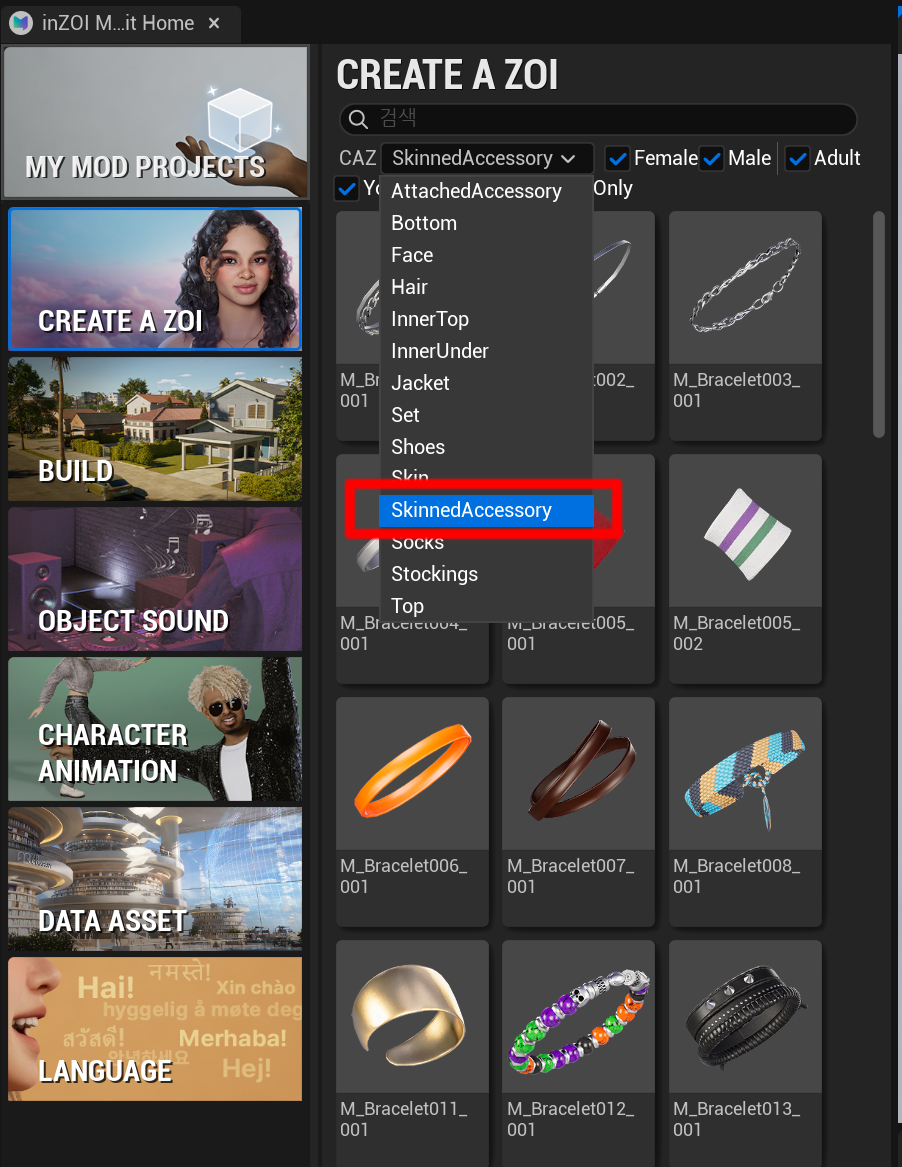
After selecting it, the SkeinnedAccessory configuration panel will open as shown below.
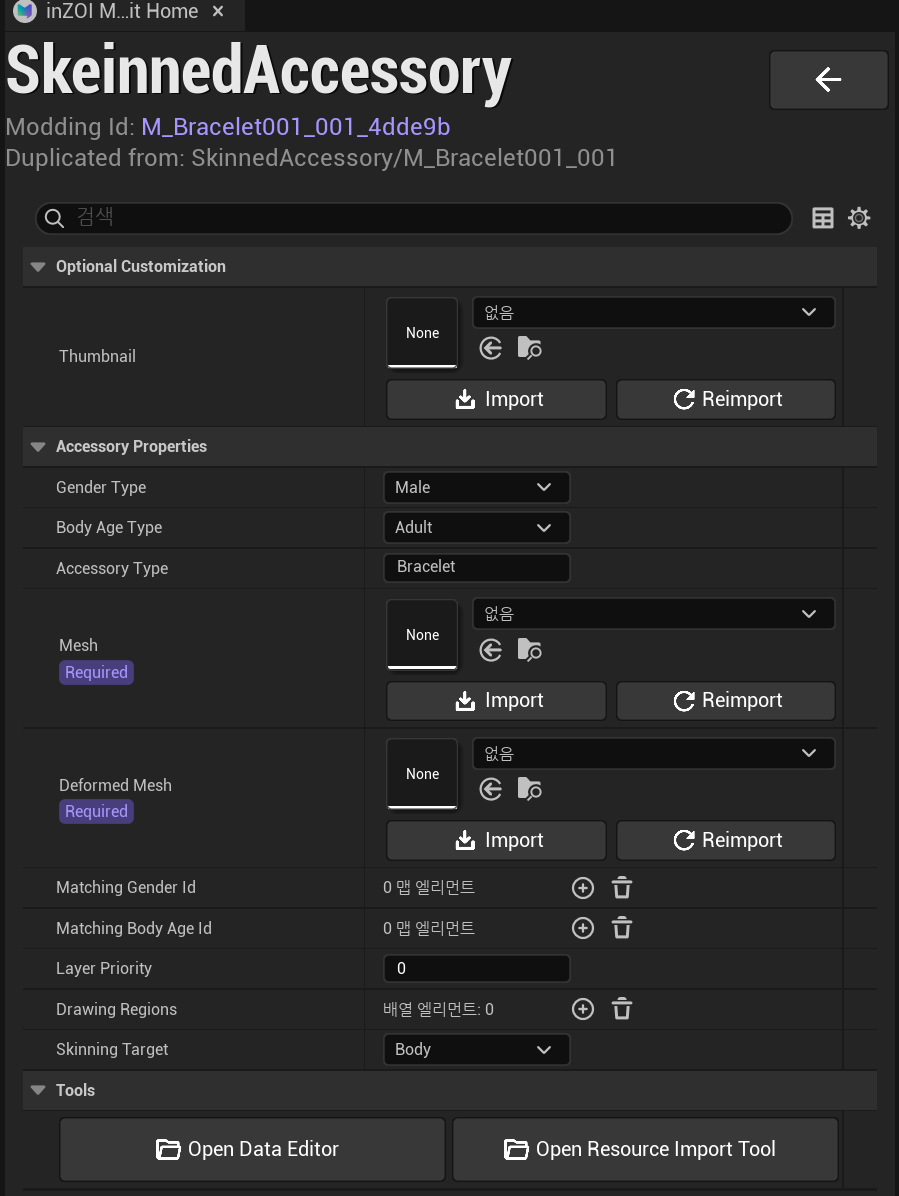
Optional Customization
- Thumbnail
- Registers the thumbnail image for the item
Accessory Properties
-
Gender Type
- Selects the gender for the item
- Example:
Male,Female
-
Body Age Type
- Selects the body age group for the item
- Example:
Adult,Child
-
Accessory Type
- Defines the accessory type
Types:
Necklace: NecklaceNail: NailRing: RingBracelet: Bracelet
Mesh
- Imports the accessory mesh
Deformed Mesh
- (Necklace only)
- Imports a mesh that is slightly offset above clothing to prevent clipping
Matching Gender Id
- Defines the item ID shown when the gender is changed in CAZ
Matching Body Age Id
- Defines the item ID shown when the age group is changed in CAZ
Layer Priority
- Defines the clothing layer priority of the item
- Recommended default value:
10
Drawing Regions
(Used for Necklace and Bracelet)
-
Defines regions where the item can be hidden by upper-layer clothing
-
To use this feature, UV1 must be properly set on the mesh
- UV1 = second UV channel
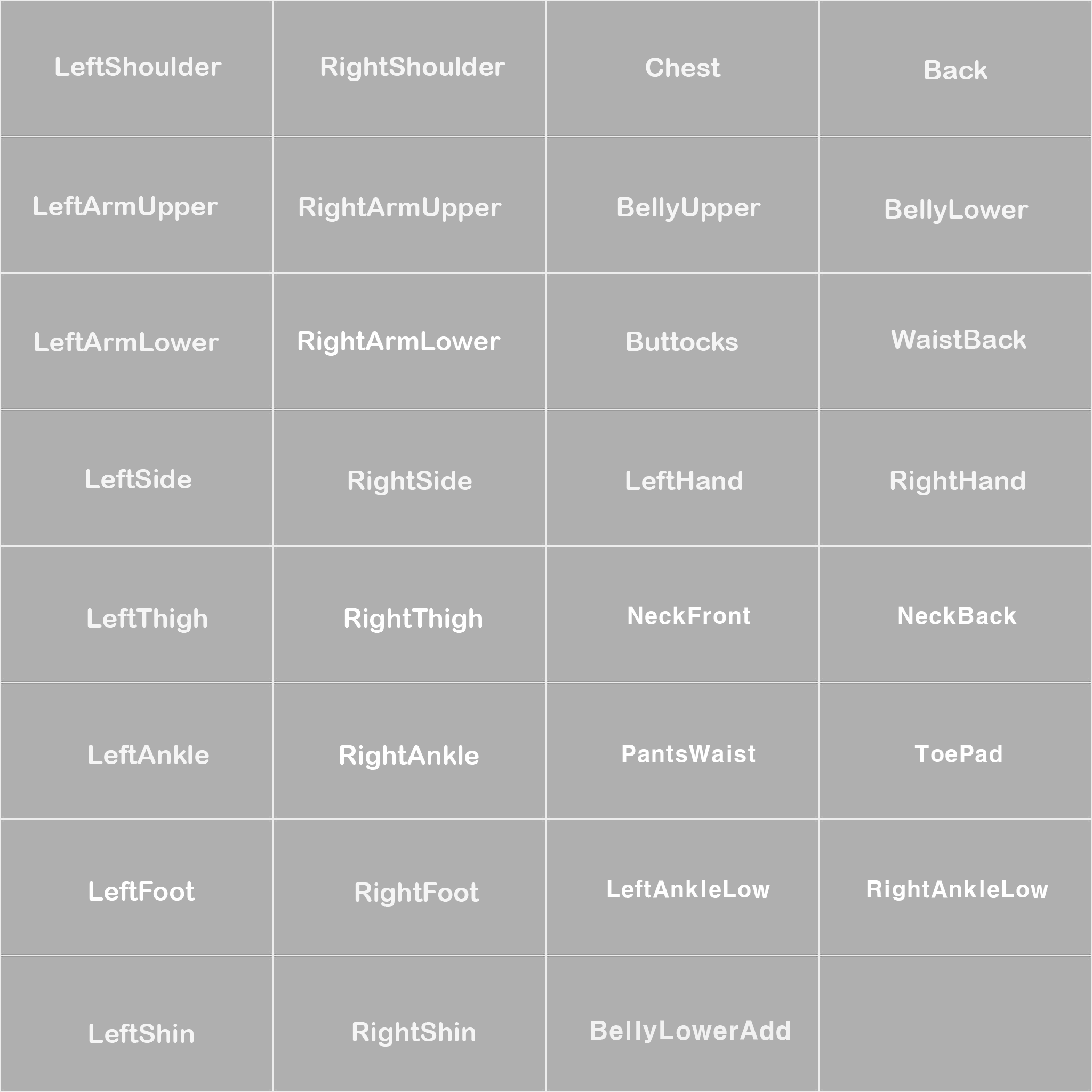
Necklace UV1 Regions
ChestNeckFrontNeckBack
Bracelet UV1 Regions
LeftHandRightHand
warning
The Deformed Mesh for necklaces does not use UV1.
Skinning Target
Defines which part of the character the item is skinned to.
-
Body
- Nail, Ring, Bracelet
- Necklace with physics simulation
-
Head
- Necklace
warning
Necklaces must be rigged to a joint hierarchy that includes the Head bone.