03.Structure
Purpose
In this step, you will learn about the mesh composition and LOD (Level of Detail) structure of inZOI hair. The hair is not a single mesh — it is divided into HairCards and a Scalp, each using its own material slot. It also includes multiple LODs for performance optimization.
Composition Summary
| component | explanation |
|---|---|
| Hair Mesh | The main HairCard mesh. Includes a UV2 channel for customization, enabling tint, highlight, and hair length adjustment features. |
| Scalp Mesh | A supporting mesh that maintains scalp detail. Uses the same skeleton as the HairCard mesh, but does not require a UV2 channel. |
| Material Slots | Separate material slots are used for HairCard and Scalp.
|
| LOD structure | Create LOD0, LOD2, and LOD4. LOD1 = LOD0 LOD3 = LOD2 As such, LOD1 and LOD3 share the same meshes as LOD0 and LOD2, respectively. |
LOD Step-by-Step Explanation
| LOD steps | composition | use |
|---|---|---|
| LOD0 | Includes both Hair and Scalp meshes; highest quality version. | Used for customization view and close-up display |
| LOD2 | Includes Hair and Scalp, but with one-third of the HairCard density. | Used for general gameplay camera distance. |
| LOD4 | Hair only; simplified low-poly mesh (Scalp not included) | Used for distant rendering and performance mode. |
| HairCard + Scalp | Example image for Scalp mesh check | |
|---|---|---|
| LOD0 example | 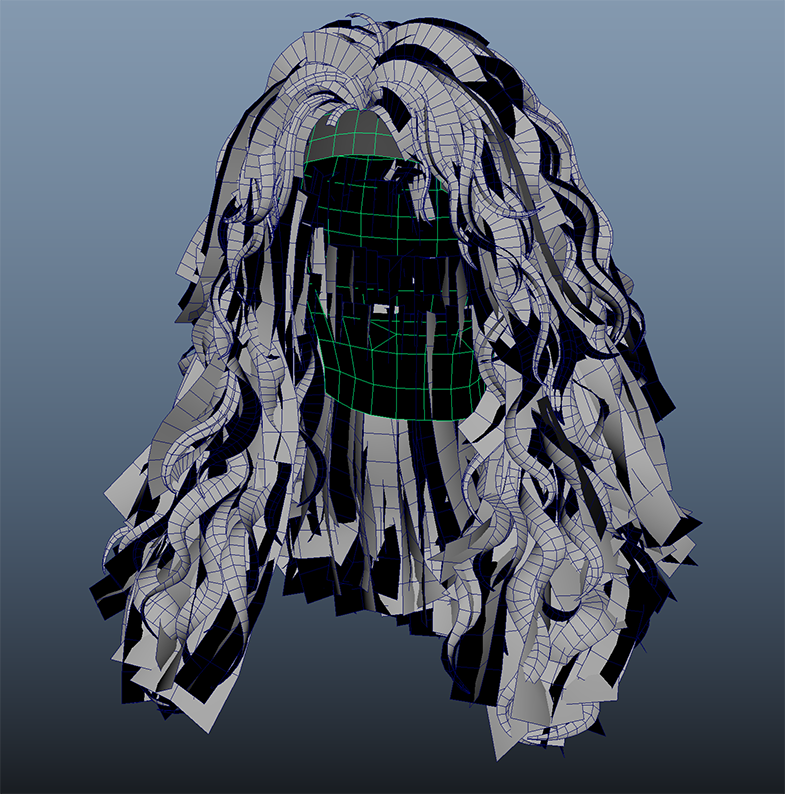 |
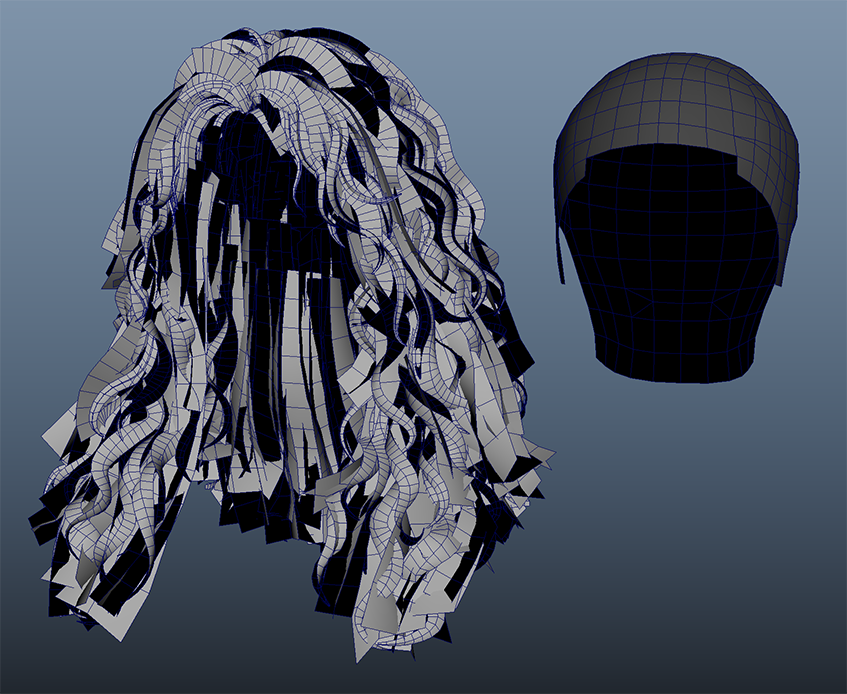 |
| Number of triangles - approximately 40,000 | ||
| LOD2 example | 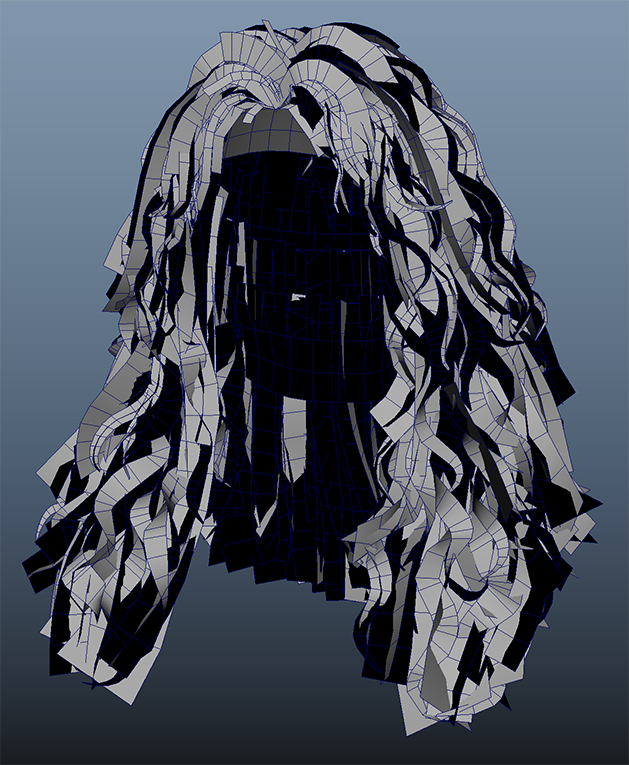 |
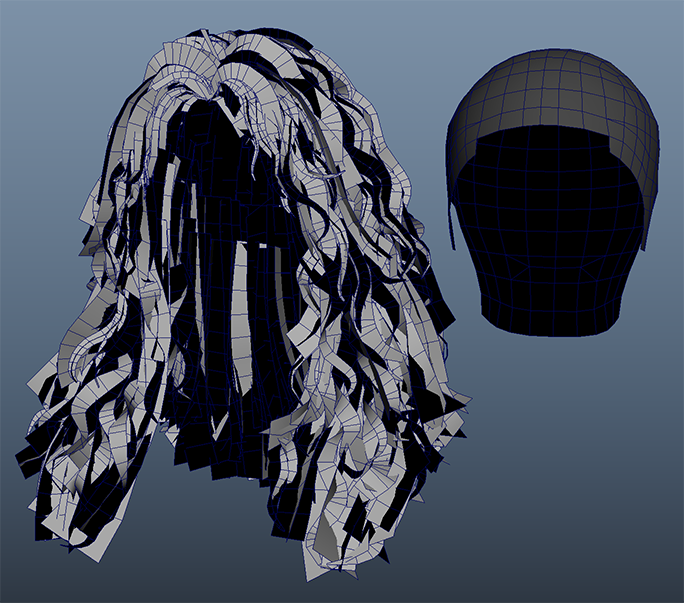 |
| Number of triangles - approximately 15,000 | ||
| LOD4 example | 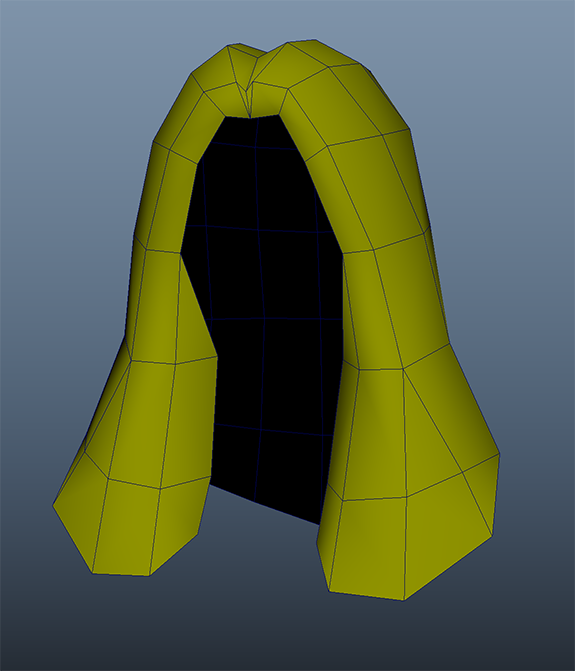 |
|
| Number of triangles - approximately 170 | ||
- The number of triangles may vary depending on the hairstyle.
- Scalp is not included in LOD4
💡 ModKit Standard:
LOD creation is optional.
You can build with just LOD0, and creating LOD2 and LOD4 will improve performance.
Mesh naming conventions
| item | rule | example |
|---|---|---|
| Final Skeletal Mesh | SKM_[Gender]_Hair_[StyleID] | SKM_Female_Hair_L_007 |
| Hair mesh (by LOD) | [Gender]_Hair_[StyleID]_LOD# |
|
| Scalp mesh (by LOD) | [Gender]_Hair_[StyleID]_Scalp_LOD# |
|
Things to check
| item | Things to check |
|---|---|
| Are HairCard and Scalp bound to the same Skeleton? | Check that HairCard and Scalp use separate material slots. |
| Does the Scalp mesh exclude the UV2 channel? | If the Scalp mesh contains a UV2 channel, remove it. |
| Is the Scalp mesh excluded from LOD4? | LOD4 should be created as a simplified single mesh without Scalp. |
Mistake-avoidance tips
| situation | cause | How to solve |
|---|---|---|
| UV2 channel exists on Scalp mesh | Unnecessary UV data included | Verify and remove UV2 before export |
| Scalp visible in LOD2 | Scalp mesh still included | Use the same Scalp mesh as LOD0 for LOD2 |
Summary of this section
| Checklist | Whether completed |
|---|---|
| Understanding Hair + Scalp Composition | ✅ |
| Understanding the LOD0 / LOD2 / LOD4 structure | ✅ |
| Check Material Slot Separation | ✅ |
| UV2 exists only in the Hair mesh | ✅ |