Exploring the Screens
Using a workspace built from the Bicycle01 bicycle, we go down the left-hand menu from top to bottom.
When you open a workspace, the top of the panel tells you what it was built from.
Bicycle01
Modding Id: Bicycle01_2bee57
Duplicated from: VEHICLE/Bicycle01
Modding Id is the name of this workspace, and Duplicated from is the game
vehicle it came from. The left-hand menu has four groups.
| Group | What's inside |
|---|---|
| General | Representative colour, icon, price |
| Appearance | Meshes · Paint · Lights · Objects |
| Slots | Seats · Points |
| Physics | Bounds · Driving |
| Audio | Audio |
General — colour and price
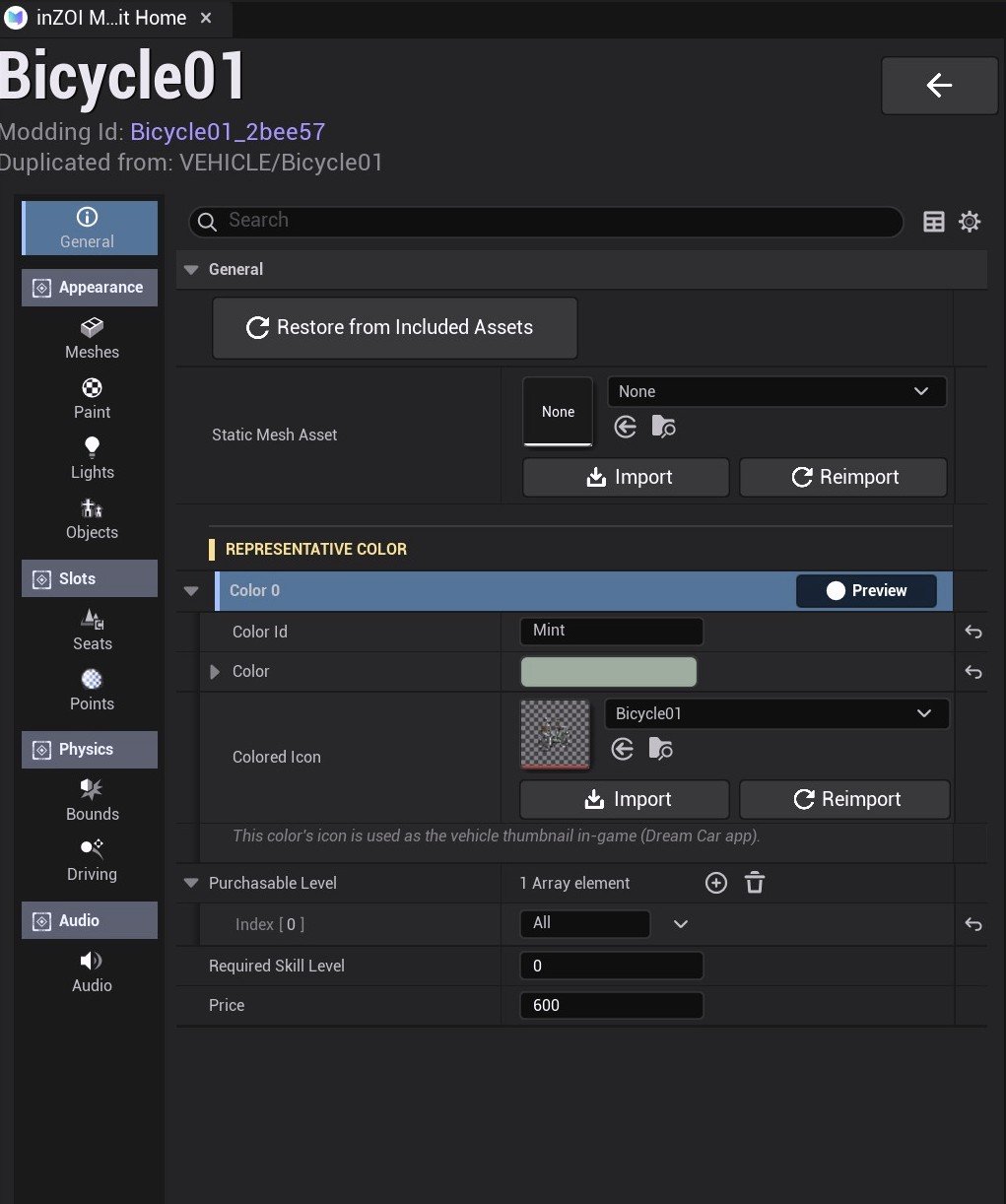
This is where you decide how the vehicle appears in the game's list.
- Static Mesh Asset — the merged mesh (LOD) used at a distance. It may be empty.
- Representative Color — a single colour.
Color Idis its name,Colorthe value. - Colored Icon — the vehicle thumbnail for that colour. This is what the Dream Car app shows.
- Purchasable Level · Required Skill Level · Price — when it can be bought, and for how much.
Restore from Included Assets reverts your changes back to the original asset.
Price is 600 and Purchasable Level is All, so it can be bought from the start.
Meshes — swapping parts
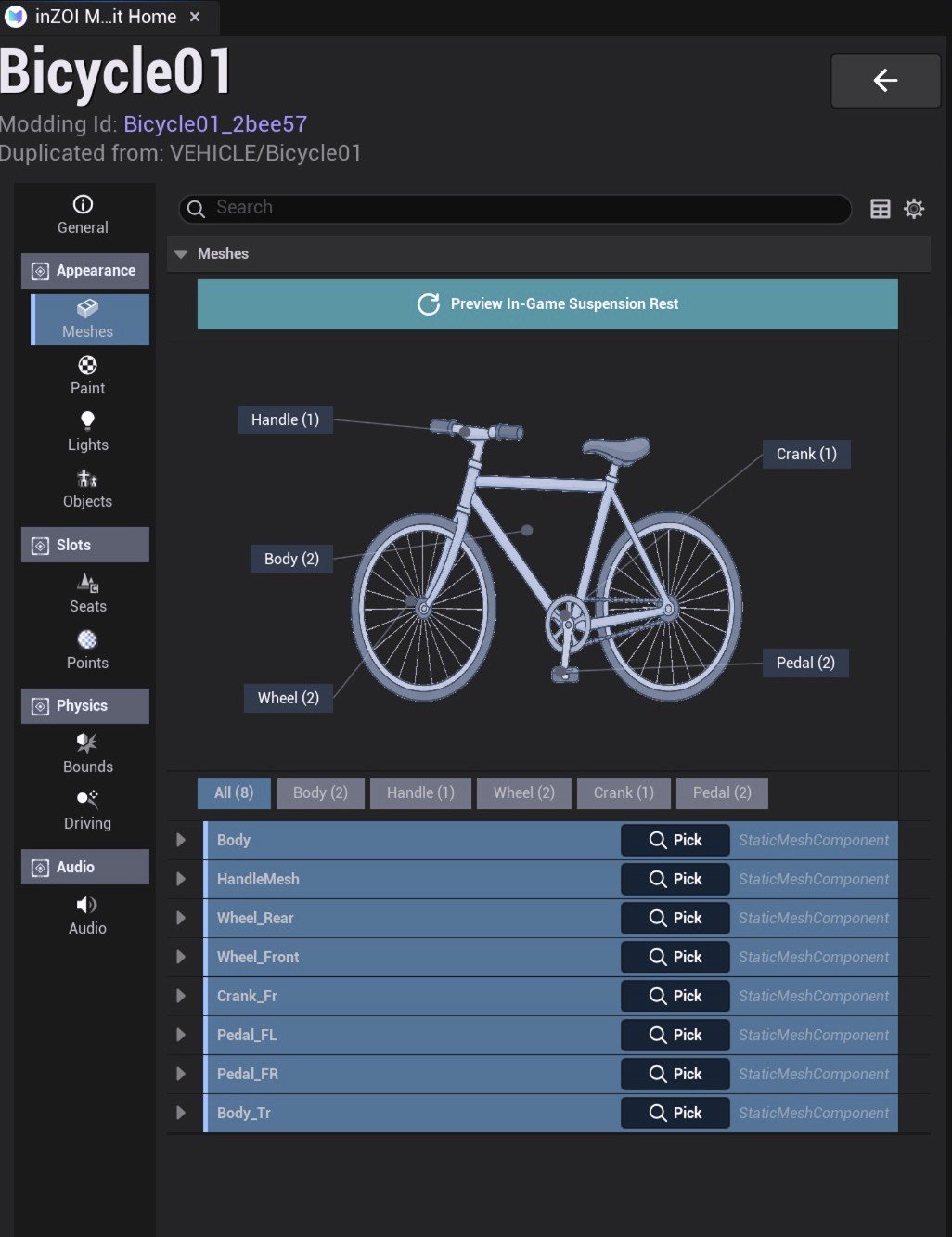
Part names are drawn over the vehicle. Press Pick in the list below to choose
a mesh. The bicycle has eight slots.
| Slot | What it is |
|---|---|
Body · Body_Tr | Frame (_Tr is the transparent part) |
HandleMesh | Handlebars |
Wheel_Front · Wheel_Rear | Front and rear wheels |
Crank_Fr | Crank |
Pedal_FL · Pedal_FR | Left and right pedals |
The tabs above (All (8) · Body (2) · Handle (1) …) filter the list by kind.
Preview In-Game Suspension Rest previews the vehicle with the suspension
settled as it is in game.
A bicycle has eight; a car adds doors, windows, trunk and side mirrors. A slot that is not in the list cannot be created.
Paint — paint options
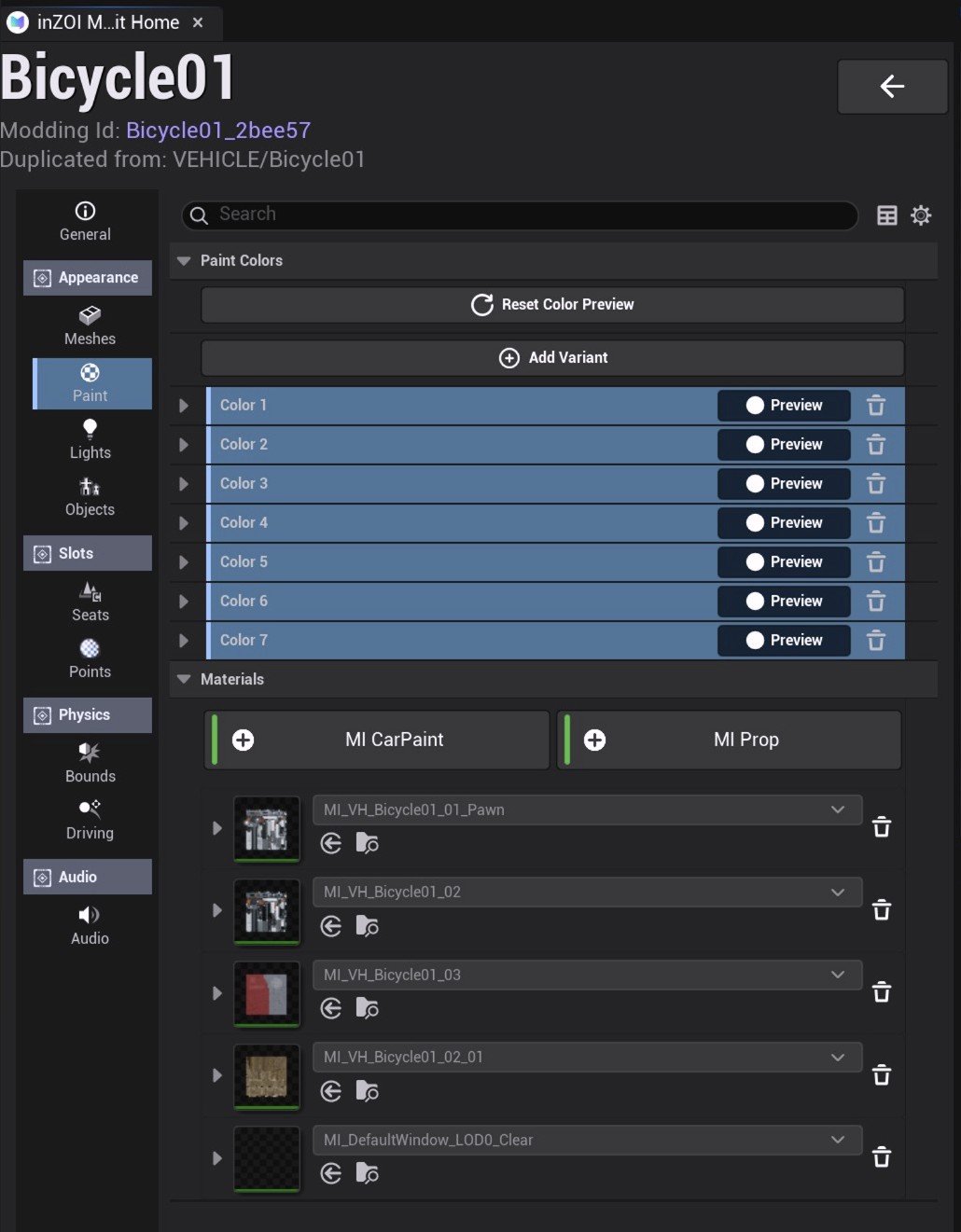
Add Variant adds a colour. Bicycle01 ships with eight.
Mint · White · Dark Grey · Carbon Black
Blue · Green · Champagne · Orange
Materials below lists the materials the colour is applied to. MI CarPaint
takes paint; MI Prop is trim that ignores it. The bicycle uses four materials
such as MI_VH_Bicycle01_01_Pawn, plus one for glass.
Reset Color Preview returns the preview to the original colour.
Lights — lighting
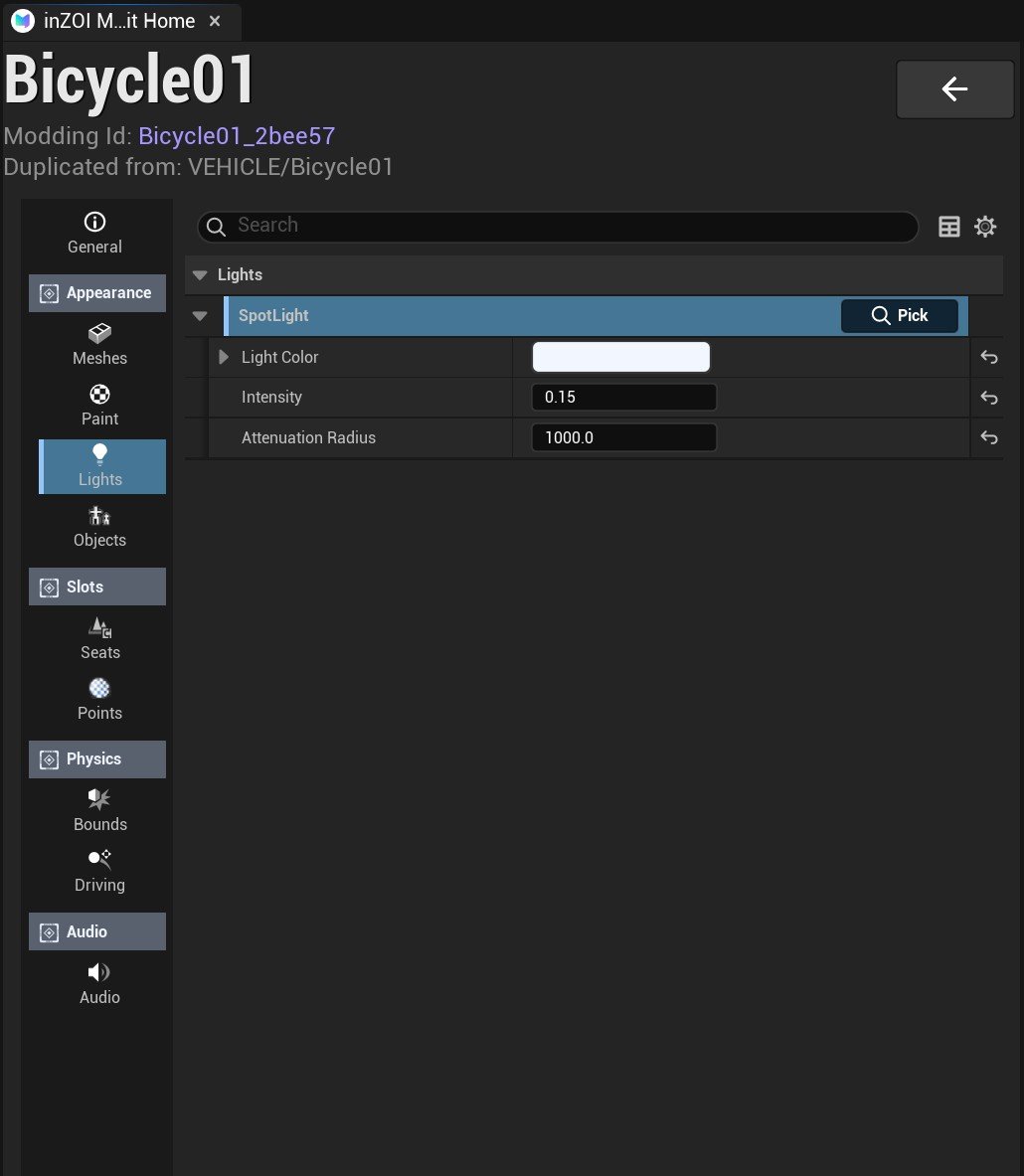
The bicycle has one light, a SpotLight, with three values.
| Value | Bicycle01 | Meaning |
|---|---|---|
Light Color | white | Colour of the light |
Intensity | 0.15 | Brightness |
Attenuation Radius | 1000.0 | How far the light reaches (cm) |
Cars have more slots — head lights, tail lights and indicators are separate.
Objects — objects the vehicle carries
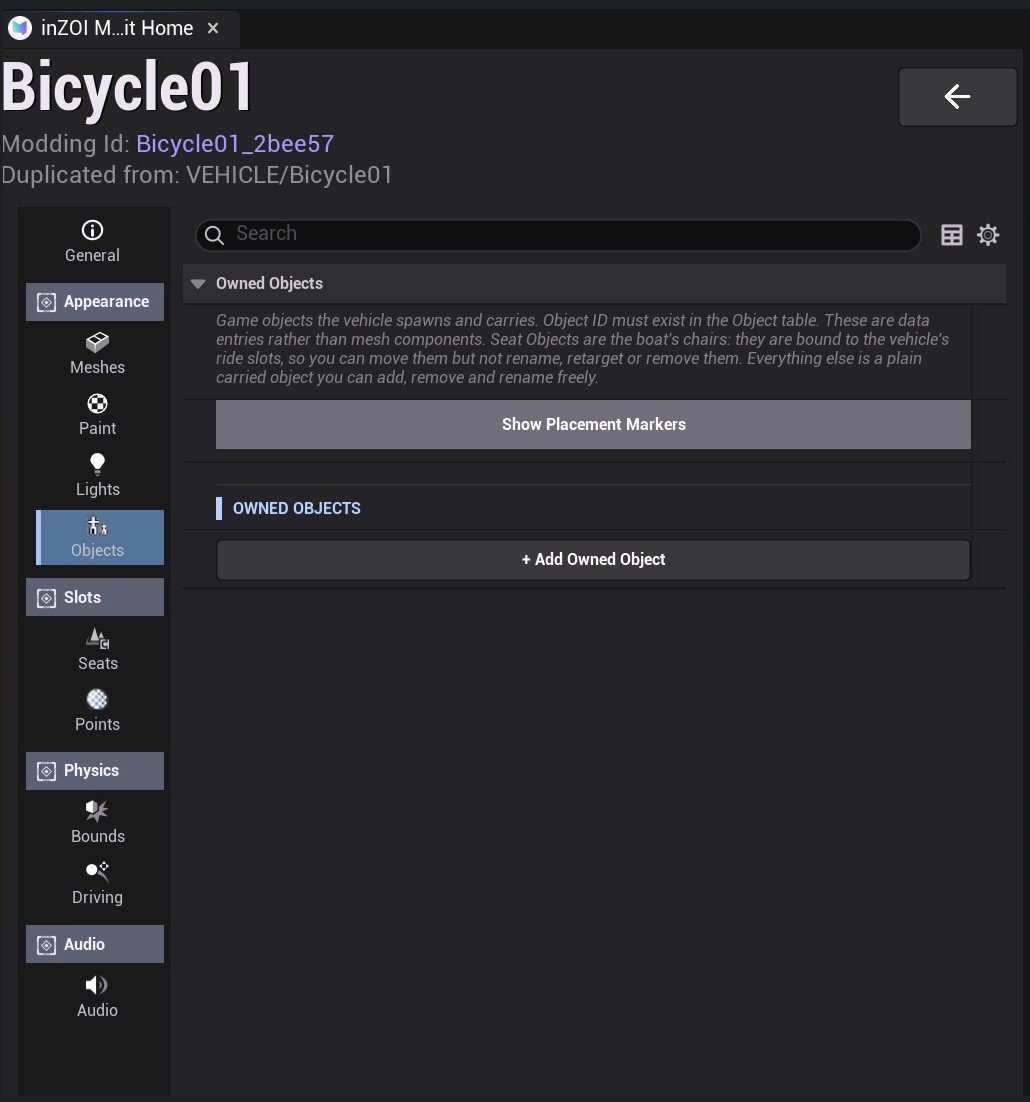
This attaches game objects that appear together with the vehicle. It points at entries in the object table rather than at meshes.
- Seat Object — an object bound to a seat, like the chairs on a boat. You can move it, but you cannot rename or delete it.
- Everything else can be added, removed and renamed freely.
Show Placement Markers turns on markers showing where things sit.
The bicycle carries no objects, so the list is empty.
Seats — seating
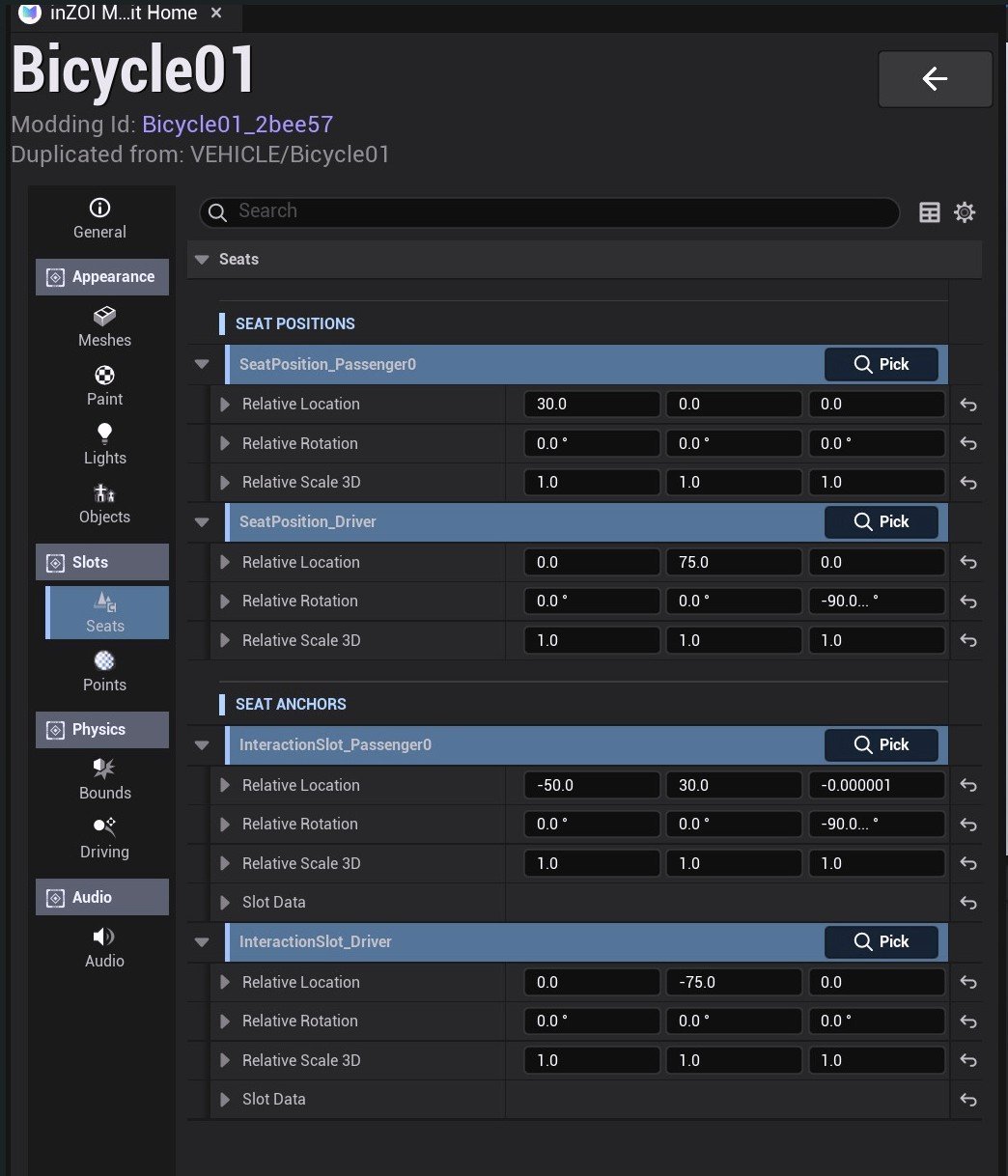
Seats come in two layers, and the names are easy to mix up.
| Layer | What it does |
|---|---|
Seat Anchors (InteractionSlot_…) | The approach point a Zoi walks to before sitting |
Seat Positions (SeatPosition_…) | Where the Zoi actually sits, in pose |
The bicycle has two: driver and passenger.
InteractionSlot_Driver      (0, -75, 0)
SeatPosition_Driver         (0,  75, 0)   rotation -90°
InteractionSlot_Passenger0  (-50, 30, 0)
SeatPosition_Passenger0     (30,   0, 0)
Moving an anchor moves the seat position that belongs to it. If you lowered the body, lower the seats too, or the Zoi will sit in mid-air.
Points — interaction points
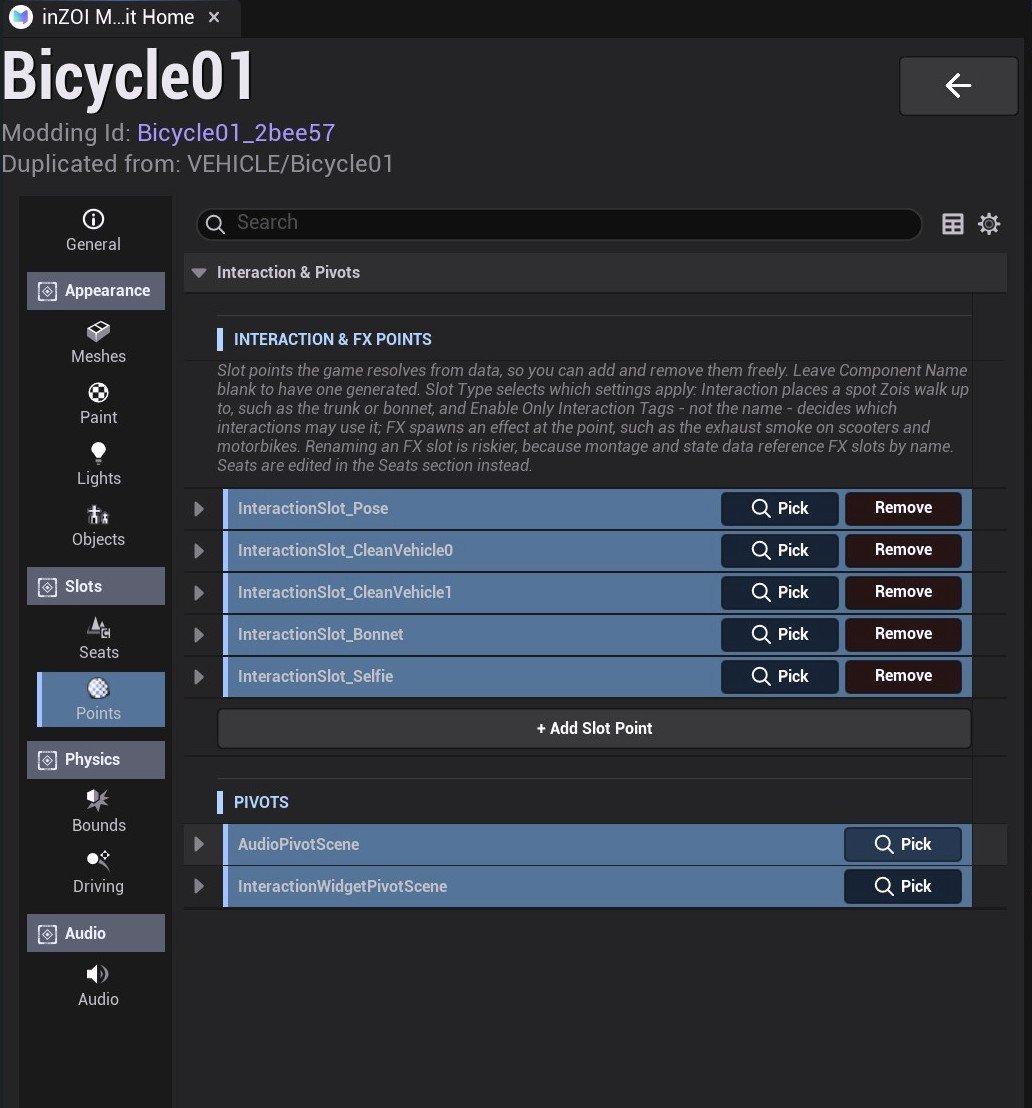
Where a Zoi stands to do something to the vehicle. The bicycle has five.
| Point | When it's used |
|---|---|
InteractionSlot_Pose | Posing beside the vehicle |
InteractionSlot_CleanVehicle0 · 1 | Washing it (left and right) |
InteractionSlot_Bonnet | Working on the front |
InteractionSlot_Selfie | Taking a selfie |
If you changed the body size much, move these points too — otherwise the Zoi ends up washing the vehicle from a distance.
Bounds — the outer box
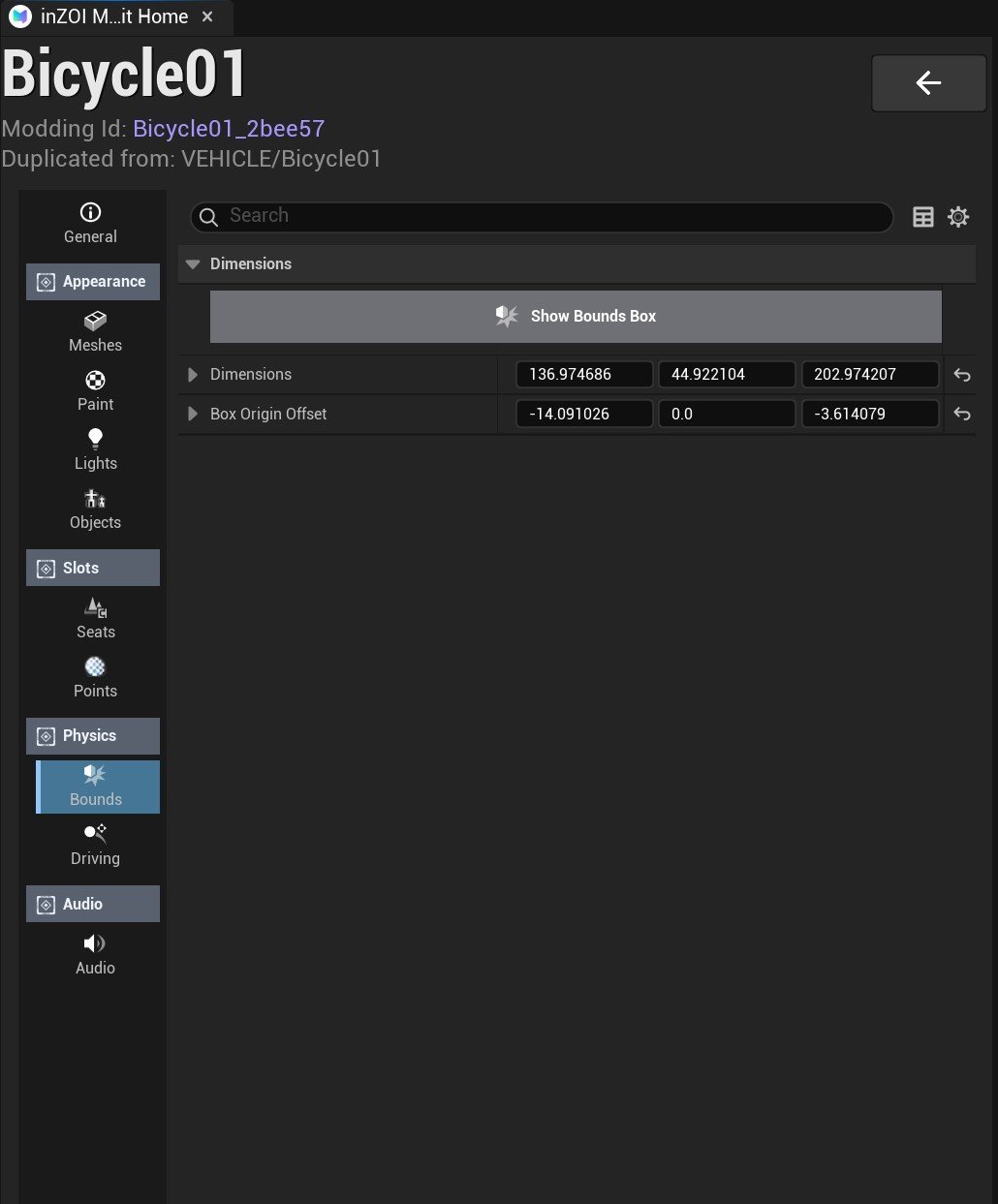
The box used for collision and parking spaces. Bicycle01 looks like this.
Dimensions        136.97 × 44.92 × 202.97  (cm)
Box Origin Offset -14.09 ×  0.00 ×  -3.61
Show Bounds Box draws the box so you can see it.
This value is not recalculated when you change the mesh. If the body grew but the box did not, the vehicle will not fit a parking space; if the box is too big, it will not get through narrow gaps.
Driving — handling
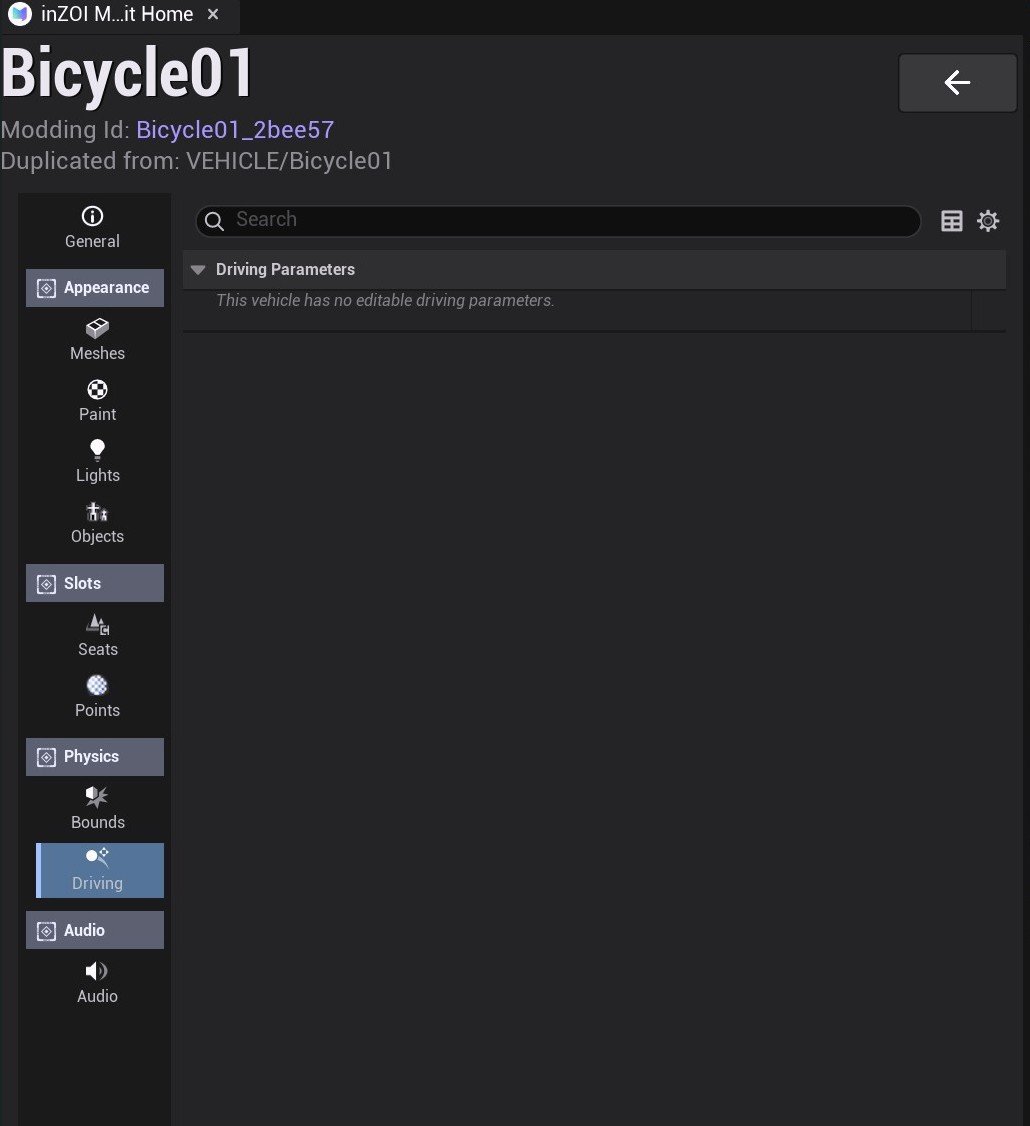
For most vehicles this screen is empty.
This vehicle has no editable driving parameters.
Values like top speed and acceleration live on the vehicle's movement component, and few vehicles expose them to mods. If you see this line, that vehicle's handling cannot be edited. Look, colour, lights and audio still can.
Audio — sound
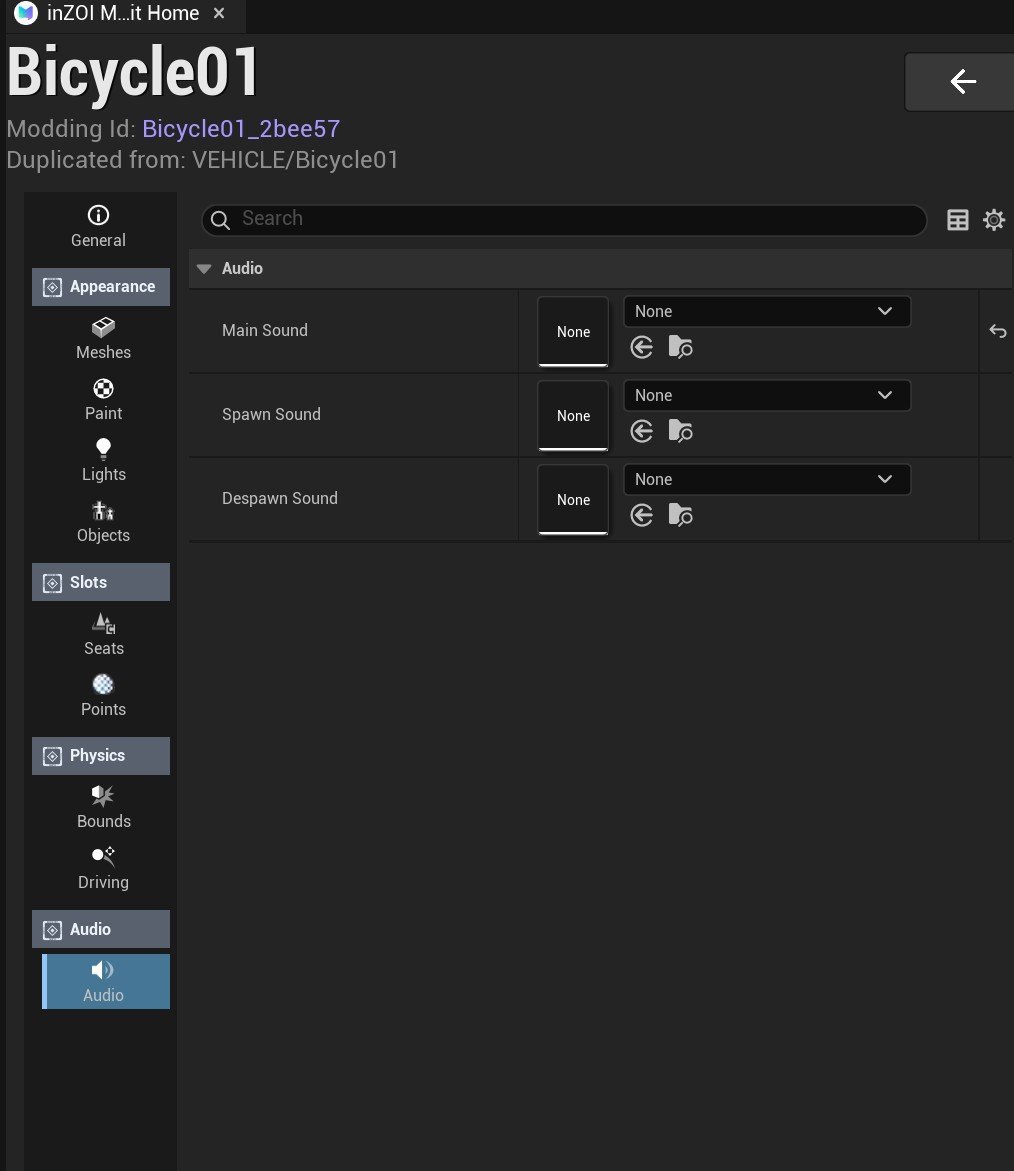
There are three sound slots.
| Slot | When it plays |
|---|---|
Main Sound | While driving (engine) |
Spawn Sound | When the vehicle appears |
Despawn Sound | When the vehicle disappears |
You pick a MetaSound asset. Bicycle01 uses Vehicle_Driveable_Bicycle as its
engine sound and leaves spawn and despawn empty.